Enable Admin View
Updated on Oct 23, 2026
This article explains how to enable the admin view in order to view the documents sent out by all other users.
-
Login to your RightSignature account: https://secure.rightsignature.com.
-
Navigate to Document section.
-
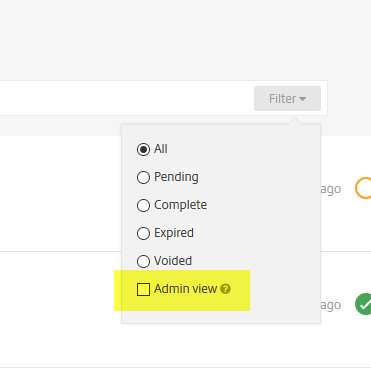
Click Filter at the end of the search bar.
-
Check Admin view.