Resource Library
Support Knowledge Base
The Support Knowledge Base provides comprehensive resources to help you find answers to your questions.
Community
Join the conversation with other users and our team to share knowledge and discover answers through collective resources and experiences.
ShareFile Feature Requests
Want to suggest a new feature that you believe will improve our products?
Submit ShareFile Feature Requests using the ShareFile Aha! Ideas Portal
We value your feedback and encourage you to share ideas that help improve ShareFile. The ShareFile Aha! Ideas Portal is the central place to submit product ideas, request new features, vote on existing requests, and track updates from the Product team. Before creating a new idea, we recommend searching the portal to see if a similar request already exists. If it does, you can vote for the idea and add comments with your use case and business impact. This helps us better understand customer demand and prioritize improvements. If you don't find a matching request, you can submit a new idea directly from the portal.
Ways to Access the ShareFile Ideas Portal
You can access the ShareFile Ideas Portal using either of the following methods:
Option 1: From the ShareFile Web Application
Within the ShareFile web application, navigate to: Help Center -> Share Your Ideas. Selecting Share Your Ideas opens the ShareFile Aha! Ideas Portal in a new browser tab.
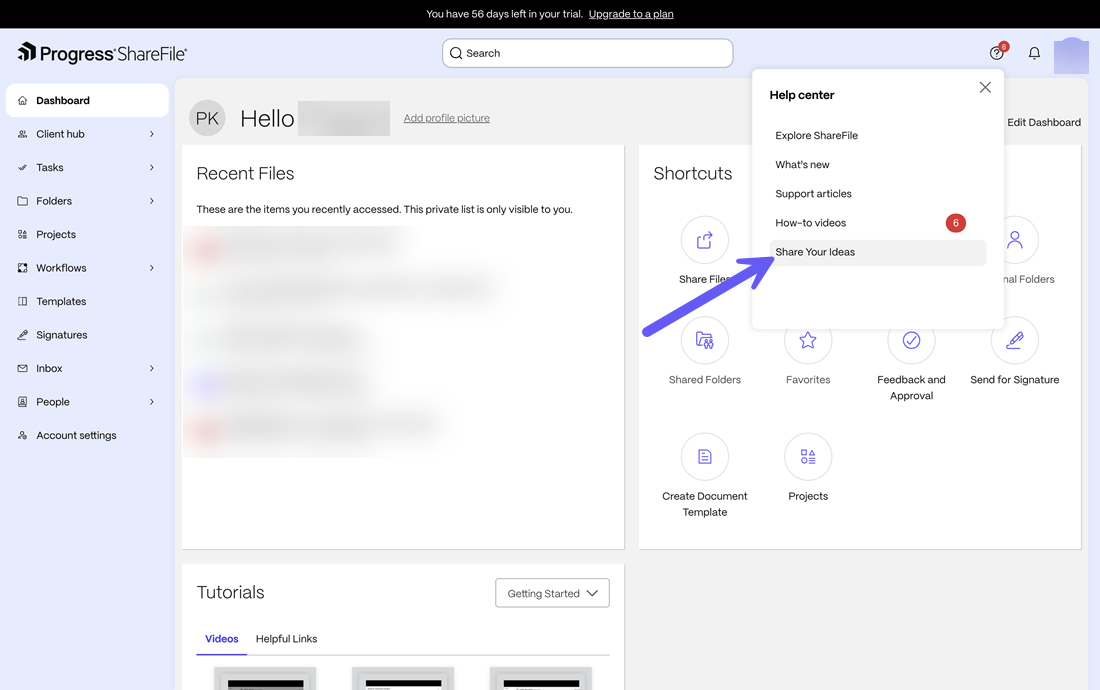
- ShareFile Web App
- Help Center menu
- "Share Your Ideas" menu option highlighted
Option 2: From the ShareFile Support Site
Navigate to:
support.sharefile.com -> Feature Requests -> ShareFile Feature Requests
Selecting ShareFile Feature Requests will redirect you to the ShareFile Aha! Ideas Portal, where you can browse existing ideas, vote on requests, or submit a new feature request.
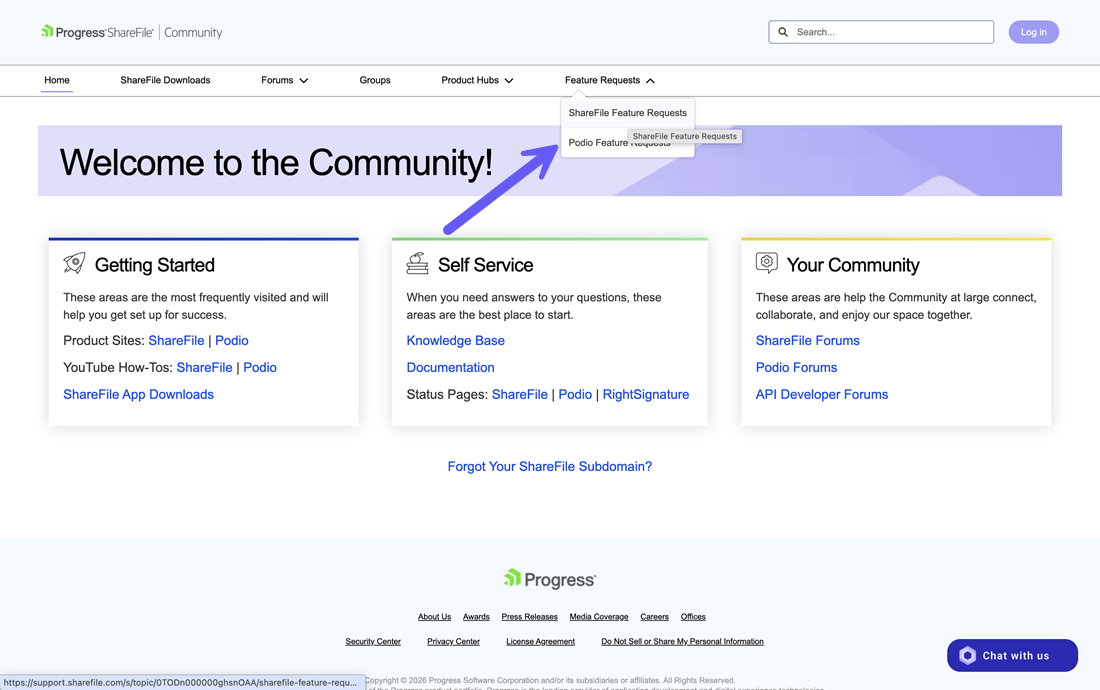
- Support site
- Feature Requests navigation
- ShareFile Feature Requests link
How to Submit a Feature Request
-
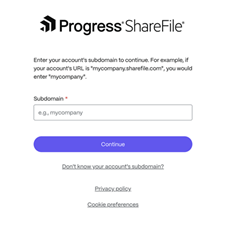
Sign in to the ShareFile Ideas Portal using your ShareFile credentials.

-
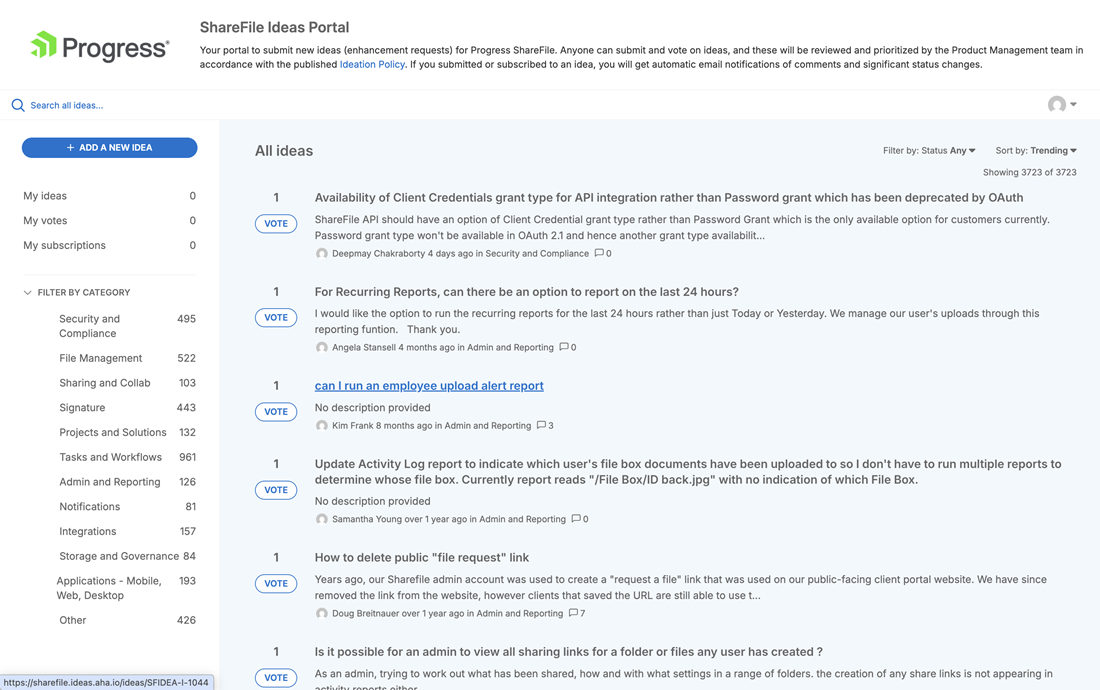
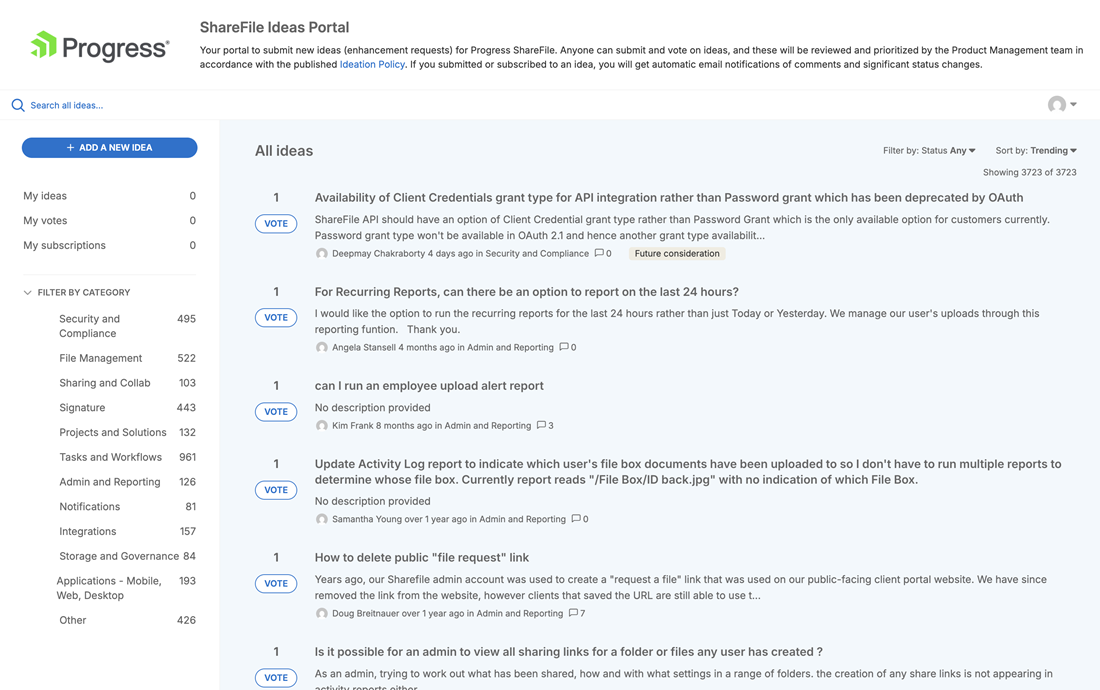
Search for an existing idea. If you find a matching idea:
- Vote for it.
- Add comments describing your use case and business impact.
-
If you don't find a similar idea:
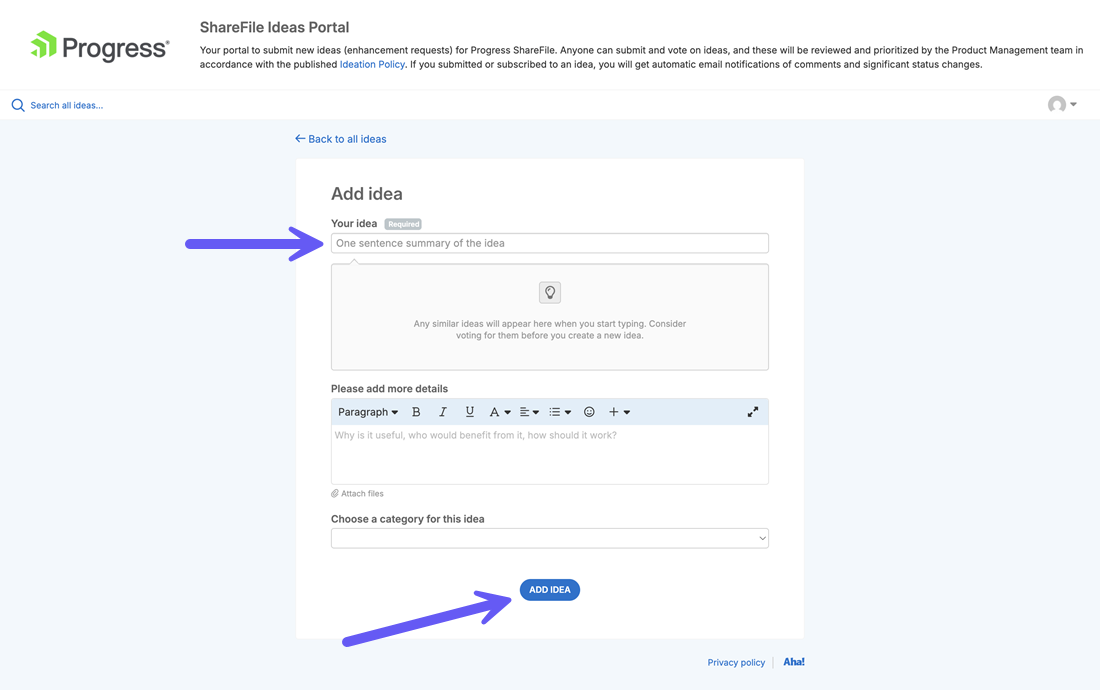
- Select Submit Idea.
- Enter a clear title and description.
- Include customer impact, business value, current workaround, and any supporting details.
-
Submit the idea.
-
Track updates directly in the Ideas Portal.
Best Practices
To help the Product team evaluate your request, include:
- A clear description of the problem you're trying to solve.
- Who is affected.
- Business or customer impact.
- Current workaround (if any).
- How frequently you encounter the issue.
- Screenshots or supporting information where applicable.
What Happens Next?
After your idea is submitted:
- The Product Management team reviews the request.
- Duplicate ideas may be merged to consolidate customer demand.
- You may be asked for additional information.
- The idea status will be updated as it progresses through the review process.
Note:
Submitting a feature request does not guarantee that it will be added to the product roadmap. Product decisions are based on customer demand, strategic priorities, feasibility, and overall business value.
Frequently Asked Questions
Can I edit my idea after submitting it?
Yes. You can update your idea or add additional comments if more information becomes available.
Can I vote on someone else's idea?
Yes. Voting helps the Product team understand which requests have the greatest customer demand.
How will I know if my idea is updated?
You'll be notified when there are updates to your idea (notification behavior may vary based on your notification settings).
Why should I vote instead of creating a duplicate?
Voting and commenting on an existing idea helps consolidate feedback, making it easier for the Product team to understand overall customer demand.
Get Training
Both new and experienced users can access resources to help you get the most out of our products by visiting ShareFile Training and the Podio Academy.
Events and Webinars
Come talk to us at an upcoming event and check out our webinars covering a range of topics.
Learn more about ShareFile events and webinars, and explore Podio webinar recordings.
Explore our YouTube Channels
Discover a library of 180+ videos featuring product demos, training sessions, and webinars. Check out our YouTube channels to learn more and get the most out of our products.
Blogs
Browse original thought leadership, industry trends and the latest udpates by visiting the ShareFile and Podio blogs.
ShareFile Trust Center
To learn about ShareFile security and compliance information along with other similar information, please visit the ShareFile Trust Center.
ShareFile AI-Assisted Legal
To learn about use policies for ShareFile AI-Assisted products, see ShareFile AI-Assisted Products.
Get Support
How to Chat with Support
Learn how to quickly connect with ShareFile Support for troubleshooting, account settings help, and feature questions. Discover the fastest way to get assistance from our expert support team!
How to contact your Success Engineer
Reach out to your dedicated Success Engineer for personalized guidance and support to help you maximize the value of ShareFile. User permissions may impact whether this option is seen or not*
Support offerings and coverage
For information about ShareFile support offerings, coverage, resolution and response times, see ShareFile Support Offerings and Coverage.
For information about ShareFile Japanese support offering, see Japanese Support.
Status Pages
To receive automatic updates when an incident is created, updated, or resolved, visit: