Upload files using ShareFile for iOS
The following steps explain how to upload files in ShareFile using your iOS device.
-
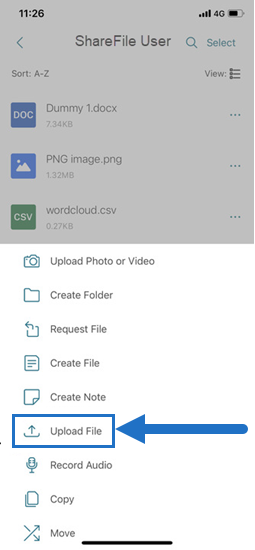
Tap the + circle to open the menu. The menu displays.
-
Tap Upload File.
-
Select Browse to navigate to the file you wish to upload from your device.
-
Tap the file you want to upload.
-
If desired, add a description in the Details field.
-
Select Edit to change the upload destination in your ShareFile account.
-
Tap Upload.
Note:
You might change the default File Prefix.