Preview files using the ShareFile web-app
The following steps explain how to open and preview files in ShareFile.
-
Navigate to the folder where the file you want to open exists.
-
Select Preview.
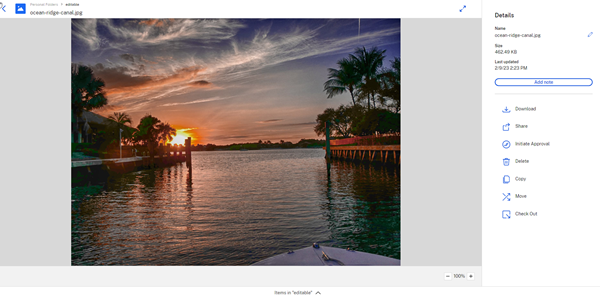
The ShareFile Content Viewer window opens and allows you to view the file before downloading.
Note:
When files are shared via a link, a notification is triggered stating the file has been previewed.
Supported file types
- BMP
- GIF (depending on the size of your file, considerably large animated gifs may not display properly)
- JPG
- JPEG
- PNG
- TIF (only first page available for preview)
- TIFF (only first page available for preview)
- RAW
- SVG
- PSD
- CRW
- DNG
- NEF (White Balance of original image may not be preserved)
- MP3
- MP4
- OGG
- OGV
- WEBM
Supported Microsoft 365 file types
| Application | Previewing Files | Editing Files |
|---|---|---|
| Word | .doc .docm .docx .dot .dotm .dotx .odt | .docm .docx .odt |
| Excel | Last employee to edit the workflow | .ods .xlsb .xlsm .xlsx |
| PowerPoint | .odp .pot .potm .potx .pps .ppsm .ppsx .ppt .pptm .pptx | .odp .ppsx .pptx |
File view limitations
The following size restrictions apply for viewing:
-
PDF - 50 Mb
-
Word - 20 Mb
-
Excel - 20 Mb
-
PowerPoint - 52 Mb
NOTE:
Previews are not supported for password-protected or user-encrypted PDF files.