Virtual Data Room
ShareFile provides a simple virtual data room designed for your most complex deals.
ShareFile VDR accounts are enabled to utilize the following ShareFile features:
- Projects - Projects is a space centered around document collaboration. Projects enable users to track and engage in client collaboration.
- Template Library - ShareFile provides access to all of your templates and templates shared with you in the Templates library.
- Document Templates - Use Document templates to automatically create highly personalized/customized documents and agreements.
Did you know...
Virtual Data Room allows customers to easily protect sensitive documents that are stored or distributed during confidential transactions.
When signing up for a VDR account, customers can now select the EU control plane. This enables VDR to be utilized internationally while being EU compliant and following stringent guidelines like GDPR.
ShareFile VDR users can secure client data by getting notified of unusual access to ShareFile account via email with Threat detection alerts.
Virtual Data Room supports FINRA archiving as per the SEC rule 17a-4 guidance. To learn more, see ShareFile Archiving.
ShareFile Virtual Data Room (VDR) allows you to easily control, share, and track your secure documents — it’s your complete due diligence solution.
ShareFile's web-based virtual data room allows parties around the world to access documents easily and securely with complete audit trails.
Note:
Existing ShareFile accounts cannot be converted to the Virtual Data Room account type.
To learn more about virtual data room functions and features, see Virtual Data Room user guidance.
Limitations
-
Password protected files and corrupted files do not render correctly.
-
Virtual Data Room features are not enabled for non-VDR accounts.
-
Some Virtual Data Room enhancements are only available for US customers at this time.
-
VDR plans have a 10 GB upload limit.
-
VDR plans does not support co-editing documents.
Fixed issues
Currently, there are no fixed issues to report.
Known issues
Currently, there are no known issues to report.
VDR Storage Enforcement
A VDR account admin is notified when an account reaches 90-100% and continues until 100% of the account storage limit. Notifications are provided to the VDR account admin and user as follows:
Storage Enforcement Notifications for VDR Account Admin
-
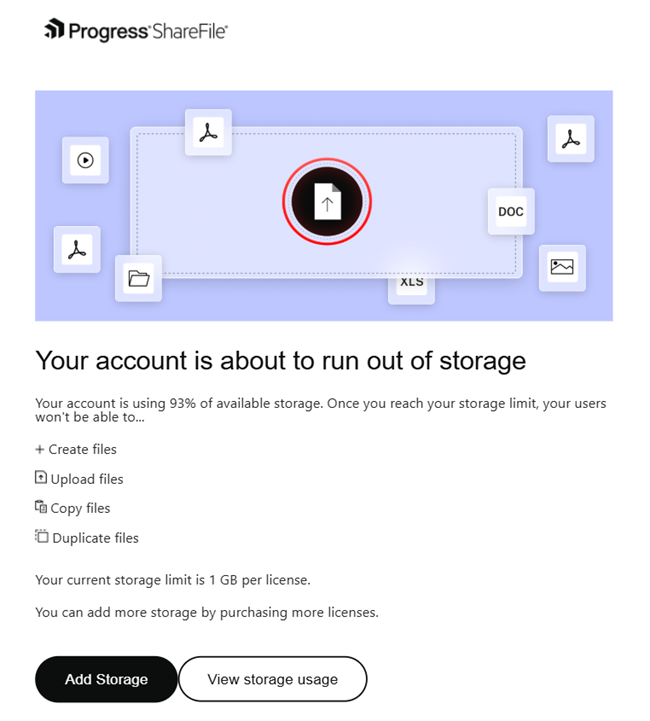
Account at 90-100% of storage
-
The account administrator receives notifications when an account has consumed 90-100% of its storage limit.
-
A dismissible banner on the ShareFile UI is displayed and an email notification is also sent to the admin.
-
You can click on View usage to view the existing storage data.
-
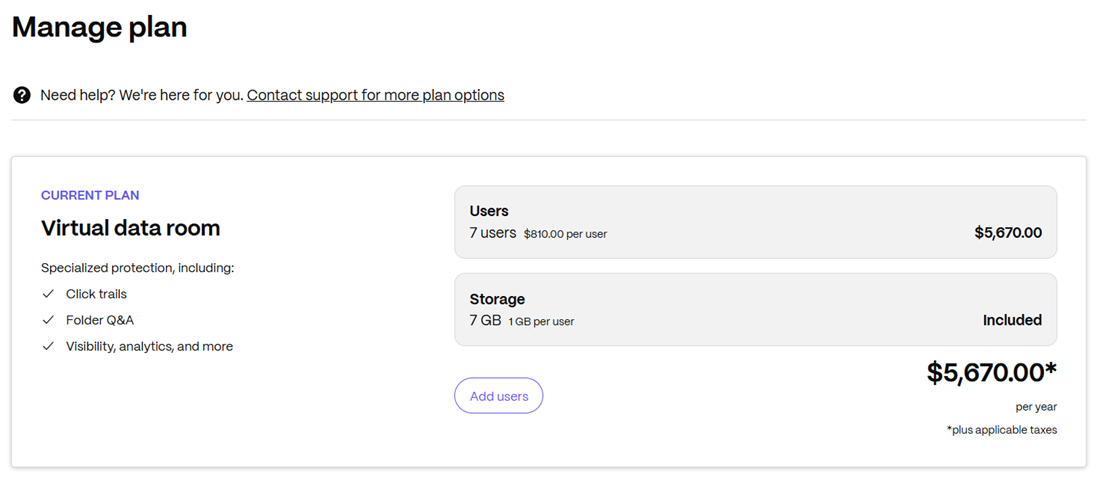
Clicking on the Add storage on the account banner as shown above or on Manage plan option in the email above will redirect admins to buy additional licences to upgrade existing plan.
-
-
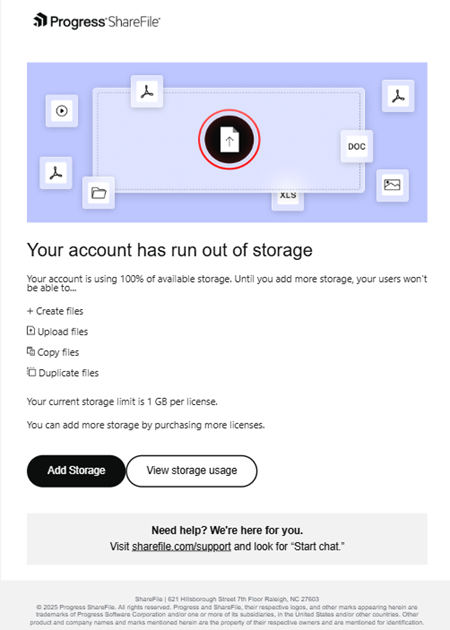
Account at 100% of storage
-
The account administrator receives notifications when an account has consumed 100% of its storage limit.
-
A persistent error banner on the ShareFile UI is displayed and an email notification is also sent to the admin (as shown above).
-
You can click on View usage button to view the existing storage data.
-
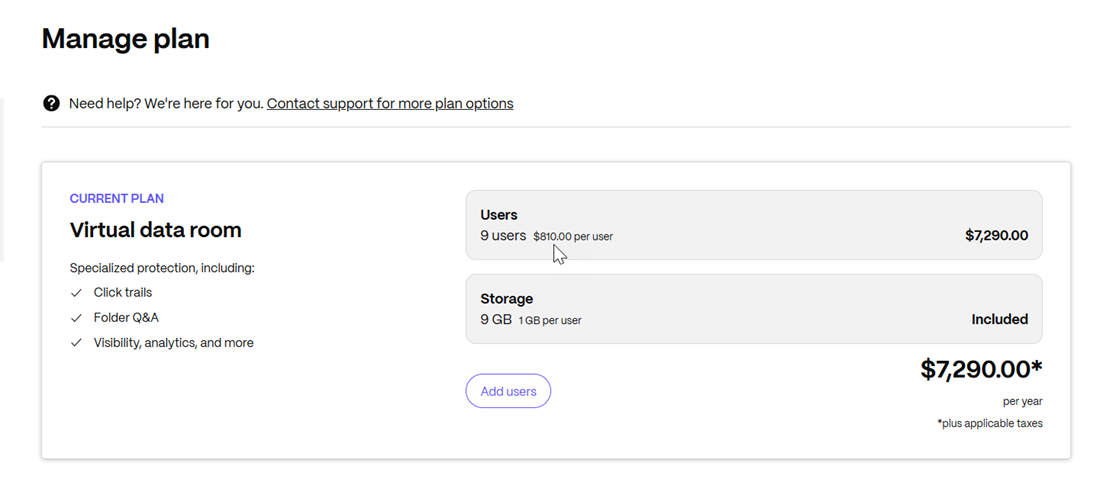
Clicking on the Add storage on the account banner as shown above or on Manage plan option in the email above will redirect admins to buy additional licences to upgrade existing plan.
-
Note:
- For VDR accounts, additional licences need to be purchased for extra storage addition.
Storage Enforcement Notifications for VDR Account User
- Account at 100% of storage
- The user receives notifications when an account has consumed 100% of its storage limit.
- A persistent error banner on the ShareFile UI is displayed and an email notification is also sent to the admin.
- You can click on Request more storage button and the admin will receive the notification to upgrade the existing plan.