Request files using ShareFile for Outlook
Updated on Oct 27, 2026
The following provides the steps necessary to request files using ShareFile in Outlook.
-
In Outlook, select the New Email icon to open a new message.
-
On the Message tab, select ShareFile to open the ShareFile menu.
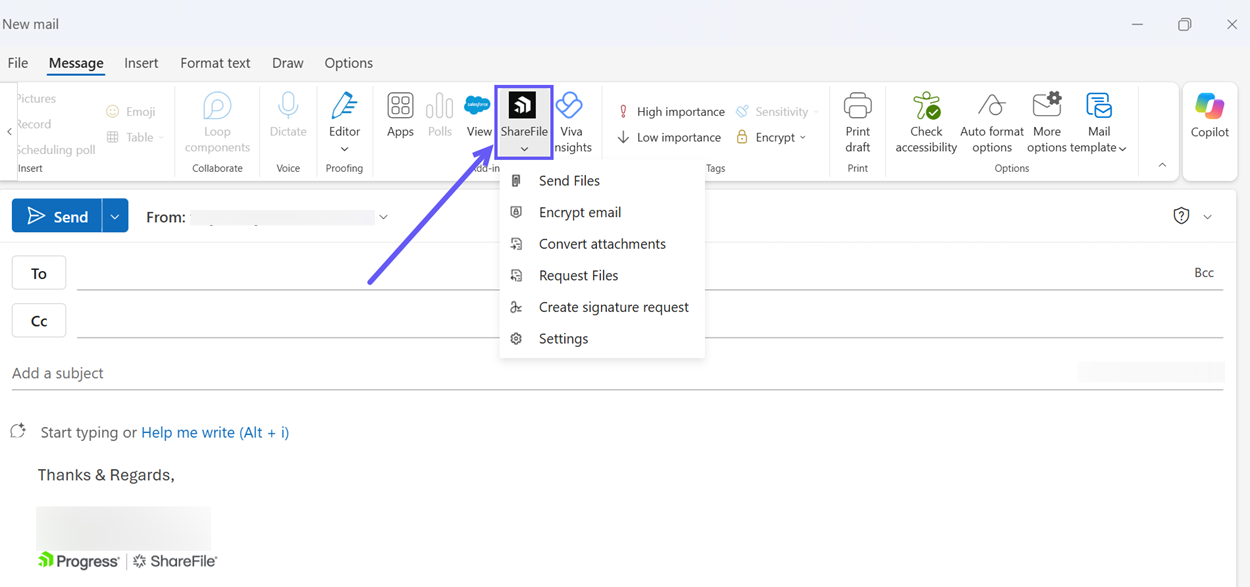
-
Select Request Files from the ShareFile menu.
-
Select Use Custom Settings to choose the upload location. The default is File Box.
-
Select Insert Link.