Send logs using ShareFile for Windows
Updated on Oct 30, 2026
If ShareFile Technical Support asks you to send a log file to help diagnose a problem, follow these steps.
-
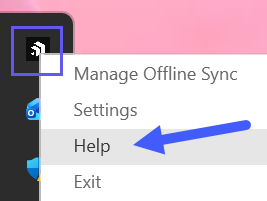
Right-click the ShareFile logo in the Windows system tray, then select Help.
-
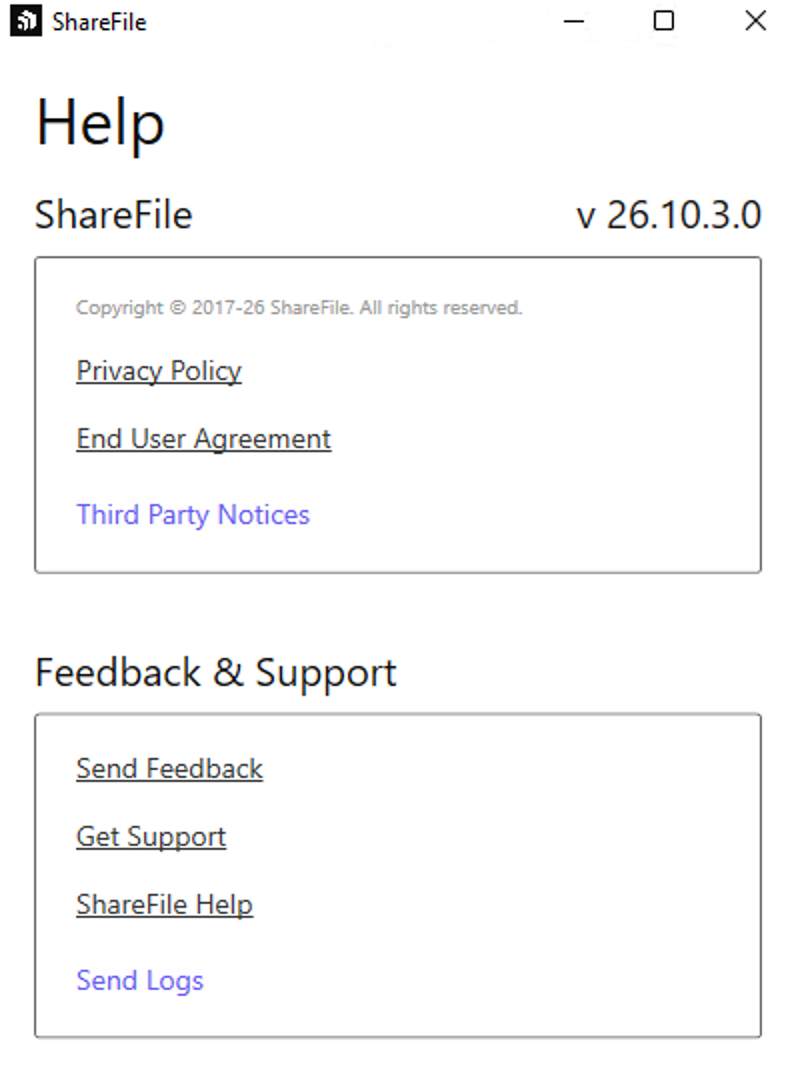
Select Send Logs.
-
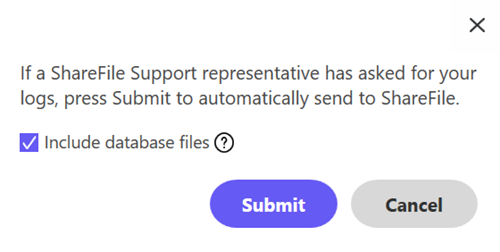
Select Submit.
Note:
Select the Include database files checkbox if your technical support representative asks you to.
-
Share the reference log code with your technical support representative.
Note:
You can find your log files at
C:\Users\%username%\AppData\Local\ShareFile\ShareFile for Windows\Logs.