Create a folder using ShareFile for Windows
The following steps explain how to create and name a folder in ShareFile for Windows.
-
Open the ShareFile folder in Windows Explorer.
-
Navigate to the location where you want to create the new folder.
-
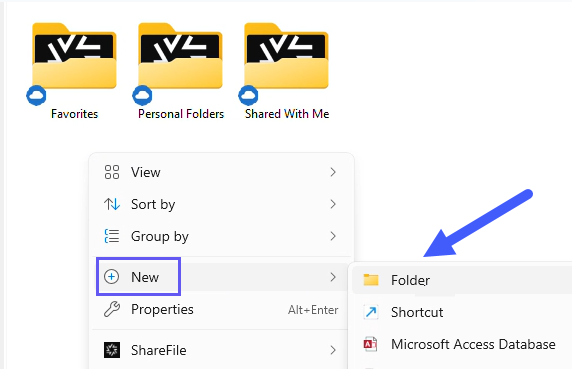
Right-click to open the ShareFile menu.
-
Select New then Folder.
-
Using the new folder icon you created, type the name you want to use for the folder.