You're not viewing the latest version of the documentation, do you want to switch?
Disable, delete, or redeploy a storage zones controller
To disable a storage zones controller
Note:
Use this procedure if each storage zones controller has a different external address.
Disable a storage zones controller before taking the server off-line for maintenance.
- In the ShareFile web interface, go to Account settings > Storage > StorageZones.
- Click the zone name and then click the storage zones controller host name.
- Clear the enabled check box and then click Save Changes.
- Restart the IIS server of all zone members.
To delete a storage zones controller
Deleting a storage zones controller does not delete the data or SCKeys.txt. If you are deleting a primary storage zones controller, demote it before continuing.
-
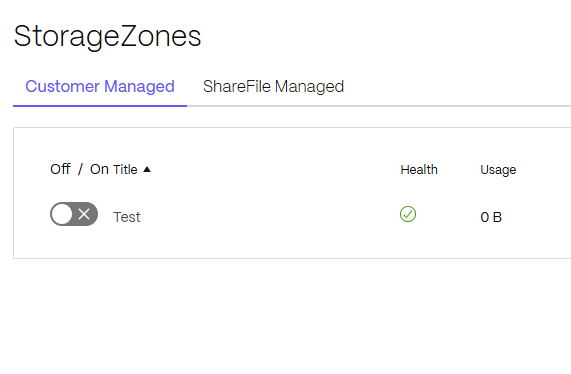
In the ShareFile web interface, go to Account settings > Storage > StorageZones > Customer Managed.
-
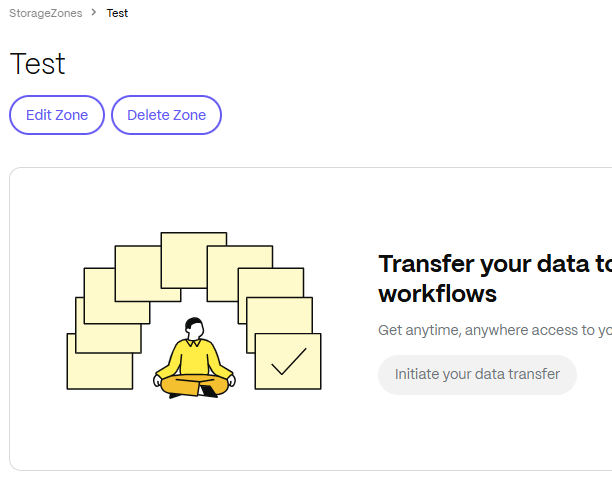
Click on the zone name to access further details of it.
-
Select Delete Zone.
-
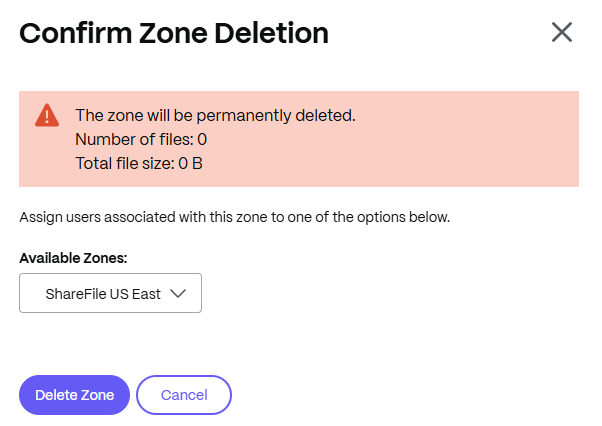
Confirm Zone Deletion. This will prompt to move any remaining files to an existing zone that is available.
-
Restart the IIS server of all zone members.
To redeploy a storage zones controller
No information is lost when you redeploy a storage zones controller.
- Uninstall storage zones from the server.
- In the ShareFile web interface, click Admin > Storage zones, and then select your zone. Do not delete the zone.
- Select the storage zones controller and delete it.
- Install storage zones. Do not register it yet.
- Run the storage zones controller configuration wizard to join the storage zones controller to a zone and complete the registration.
- Restart the IIS server of all zone members.