Create a folder using ShareFile for iOS
Use the following steps to create a folder in ShareFile using your iOS device.
-
Open Personal or Shared Folders where you want to create a new folder.
-
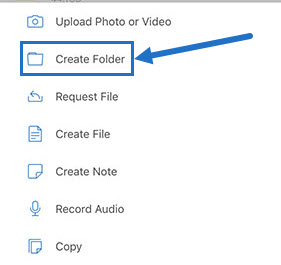
Tap the blue circle to open the menu. The menu appears.
-
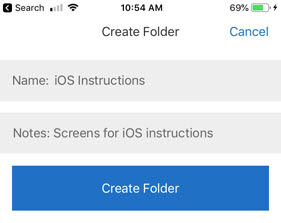
Tap Create Folder from the menu. The Create Folder screen appears.
-
Type a name for the new folder and any notes in the corresponding sections.
-
Tap Create Folder. The new folder window appears.