Co-editing a Microsoft Office file in ShareFile for Mac
Multiple users can edit a file simultaneously in ShareFile. To co-edit a document or create an active editing session, Control-click on the file to edit then select Open with > Microsoft Word (or other Microsoft Office application).
Use the following instructions to share file file for co-editing.
-
Use Share in to share the MS Office File you wish to co-edit.
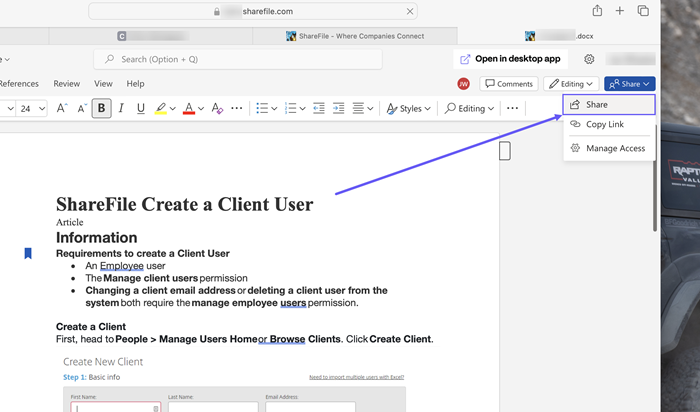
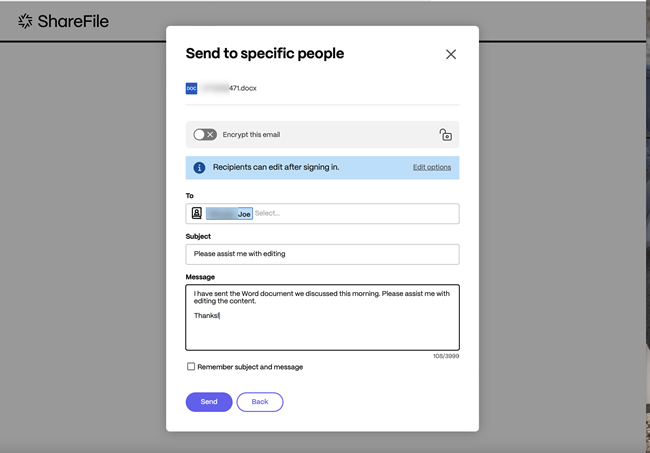
The Share screen displays. Select Send to specific people.
-
After you enter the information requested, select Send.
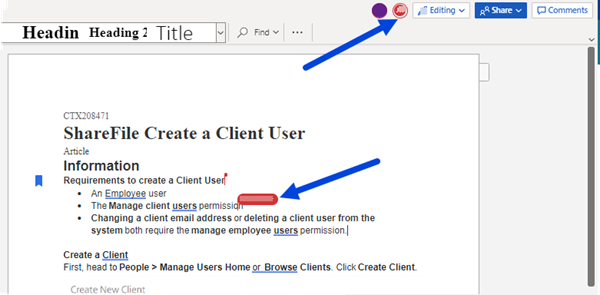
Other users in the editing session are denoted by colored cursors within the document. You can also view editing users in the upper right corner of the editor menu.
For more information, see Co-editing in ShareFile