You're not viewing the latest version of the documentation, do you want to switch?
Delete a storage zone
Deleting a storage zone removes the storage location from ShareFile. This action can move any remaining files to an existing zone.
Note: Deleting a storage zone is different from deleting a storage zone controller (Storage Center). To remove an individual Storage Center while keeping the zone, see Disable, delete, or redeploy a storage zone controller.
-
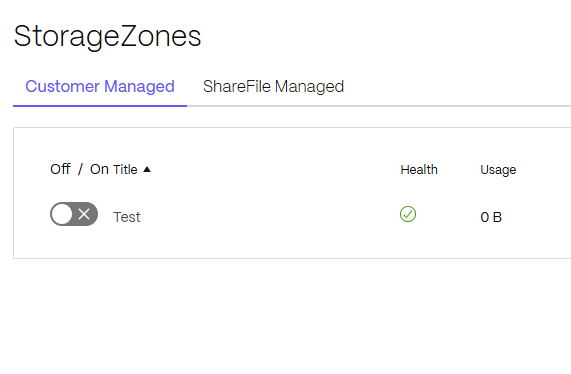
In the ShareFile web interface, go to Account settings > Storage > StorageZones > Customer Managed.
-
Click the zone name to access its details.
-
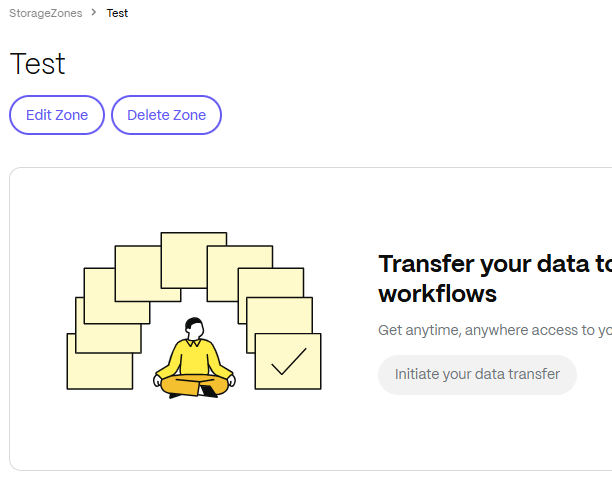
Select Delete Zone.
-
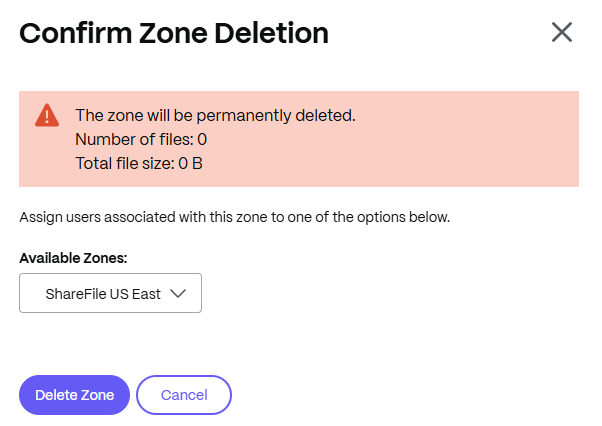
Confirm Zone Deletion. This prompts you to move any remaining files to an existing available zone.
-
Restart the IIS server of all zone members.