Delete client hub custom fields
Article applies to:
- ShareFile Employee users (account Administrator)
To delete custom fields:
-
From your ShareFile account, go to Account settings
-
Navigate to client hub management.
-
Select Custom fields.
-
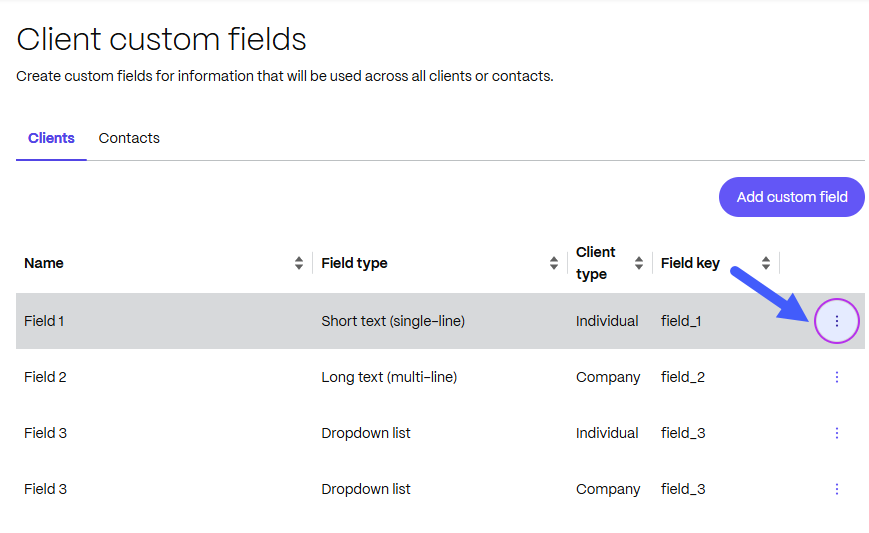
Click the "..." (three-dot menu) next to the Field key:
-
Select Delete. Check the box to confirm acknowledgment that the data entered in the field will be lost.
-
Select Delete to confirm.
NOTE:
Deleting an existing custom field removes the field and the content of the field for all existing clients or contacts.