Integrate Salesforce with ShareFile
Use the following steps to add Salesforce Leads to your ShareFile account and send a client agreement.
-
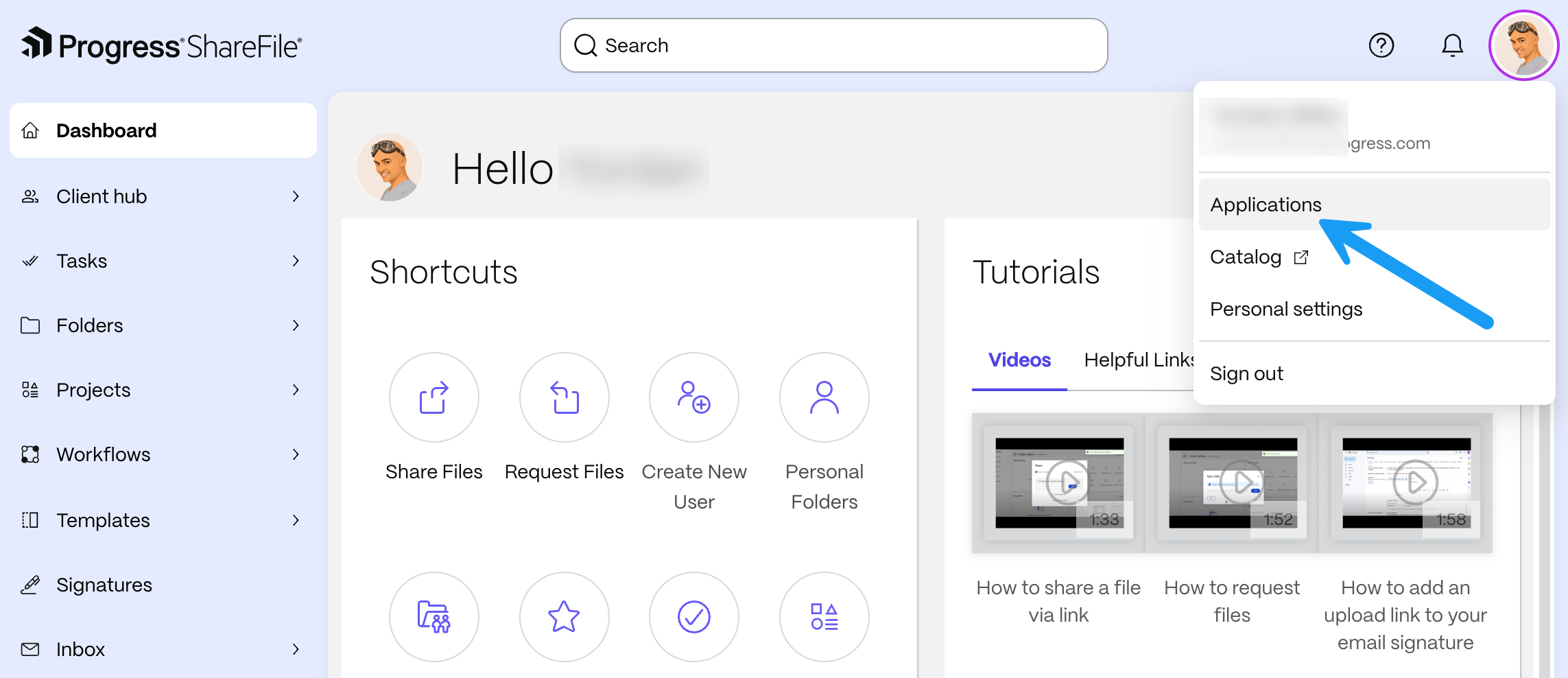
From your ShareFile dashboard, select your profile picture or avatar in the upper-right corner, then select Applications.
-
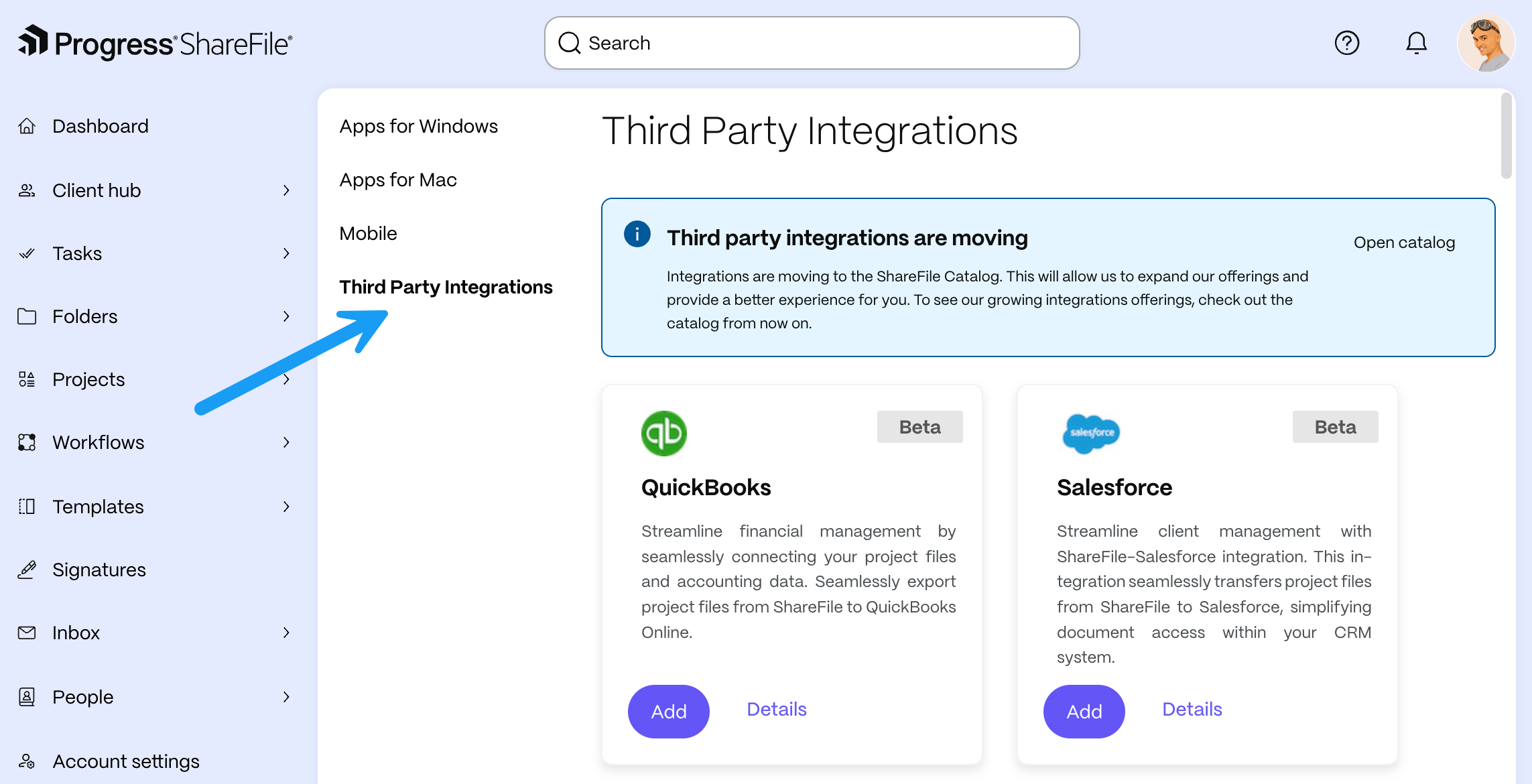
Select Third Party Integrations.
Note:
Third-party integrations are moving to the ShareFile Catalog. To browse the available integrations, select Open catalog in the notice at the top of the page.
-
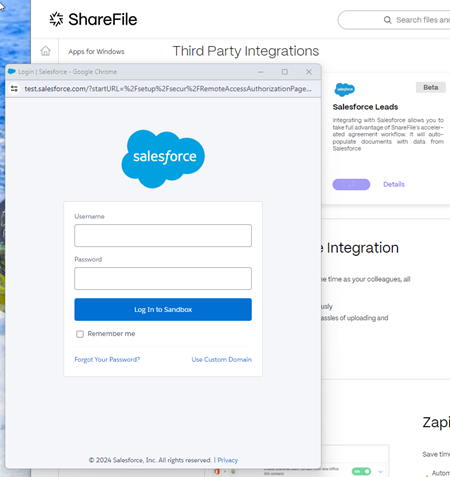
On the Salesforce card, select Add.
The Salesforce sign on page displays.
-
Type in your Salesforce credentials.
-
Select Log In.
-
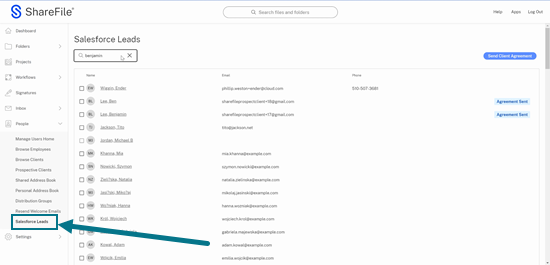
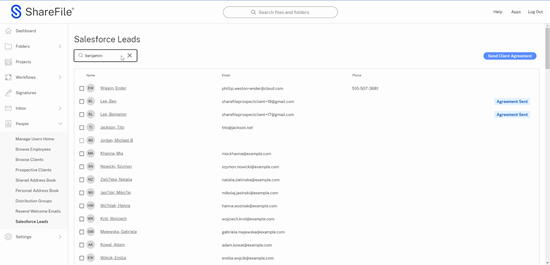
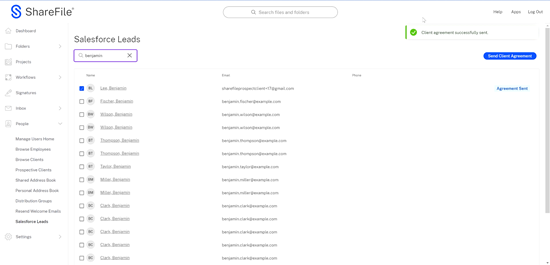
Navigate in ShareFile to People > Salesforce Leads.
-
Select or use search to locate a lead.
-
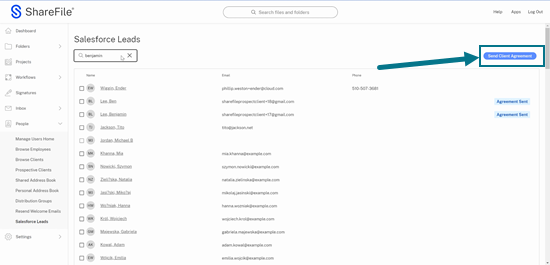
Select Send Client Agreement.
-
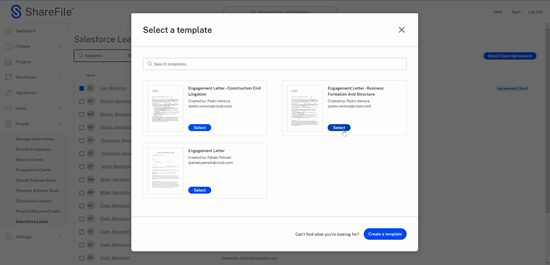
Choose from the available client agreement templates.
-
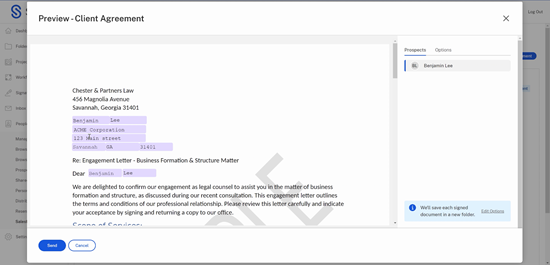
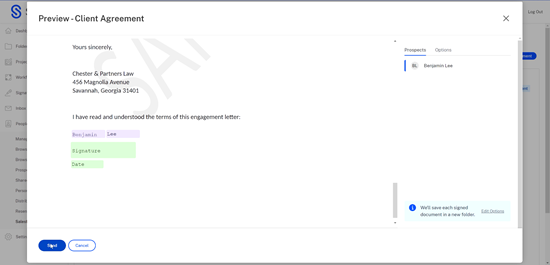
Review the auto-fill information provided by the integrated Salesforce Leads for verification.
-
Select Send. This creates a folder for the new client.
The "Client agreement successfully sent." confirmation message displays.
Video: Integrations
The following 2 minute video provides information on how Salesforce is integrated with ShareFile.