ShareFile Solutions
ShareFile solutions allow you to create custom tailored spaces to meet your needs.
Browse and install Solutions
To browse and install Solutions from the ShareFile Catalog:
-
From the ShareFile Dashboard, click the user icon located in the upper right corner of the screen.
-
Select Catalog from the dropdown options.
Notes:
If you can’t access the ShareFile Catalog, contact your ShareFile administrator.
The Solutions Catalog is not available on Premium Trial accounts.
-
Select Install.
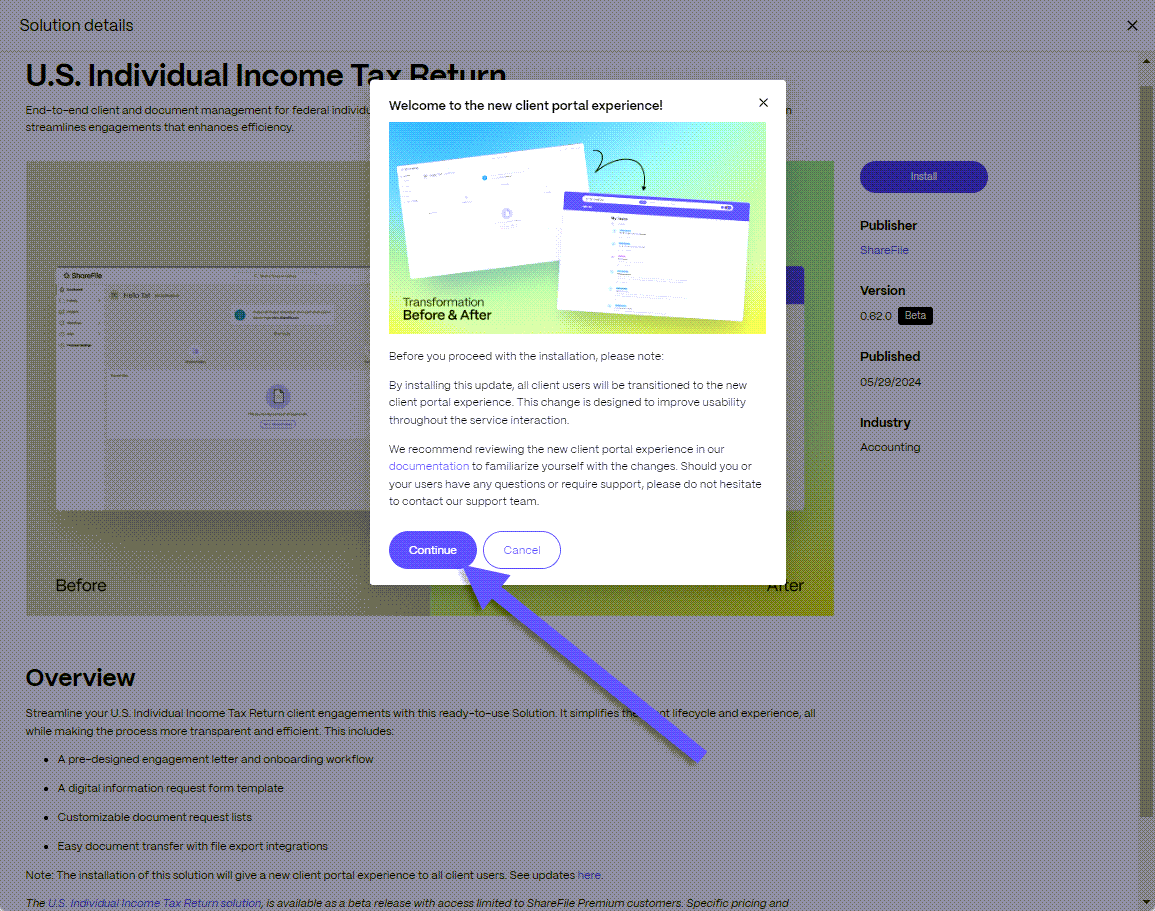
The "Welcome..." message displays providing more details regarding the solution.
-
Select Continue.
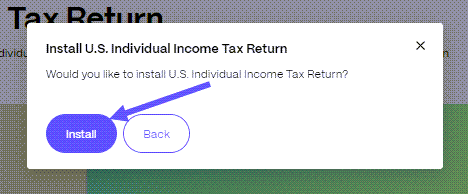
The Install U.S. Individual Income Tax Return solution message displays.
-
Select Install.
-
The confirmation message displays letting you know the installation started.
Once the installation completes, a confirmation message displays letting you know the solution is installed.
-
Return to your ShareFile account to start using the installed solution.