Edit advanced folder settings
Use the instructions below to edit advanced folder settings.
Note:
To edit folder settings, you must have Admin permissions in the folder.
-
Sign into your ShareFile account.
-
Navigate to the folder you want to edit.
-
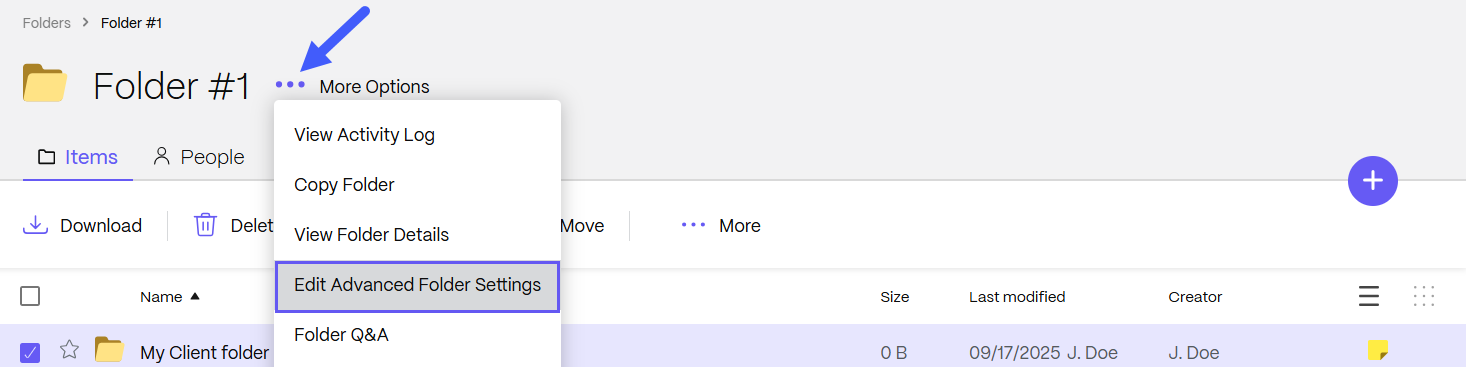
Select More Options.
-
Select Edit Advanced Folder Settings to:
- Change the folder expiration date
- Enable or disable file versioning
- Set a sort order
- Choose to use a folder template
-
Select Save.