Resend a client user activation email
If you need to resend an existing client user an activation email, you will need the permission to Manage Clients and client contacts.
To resend the welcome email containing the activation link:
-
In ShareFile, navigate to People > Browse client contacts.
-
Search or select the clients name.
-
Select the clients name or the manage icon to open the clients page.
-
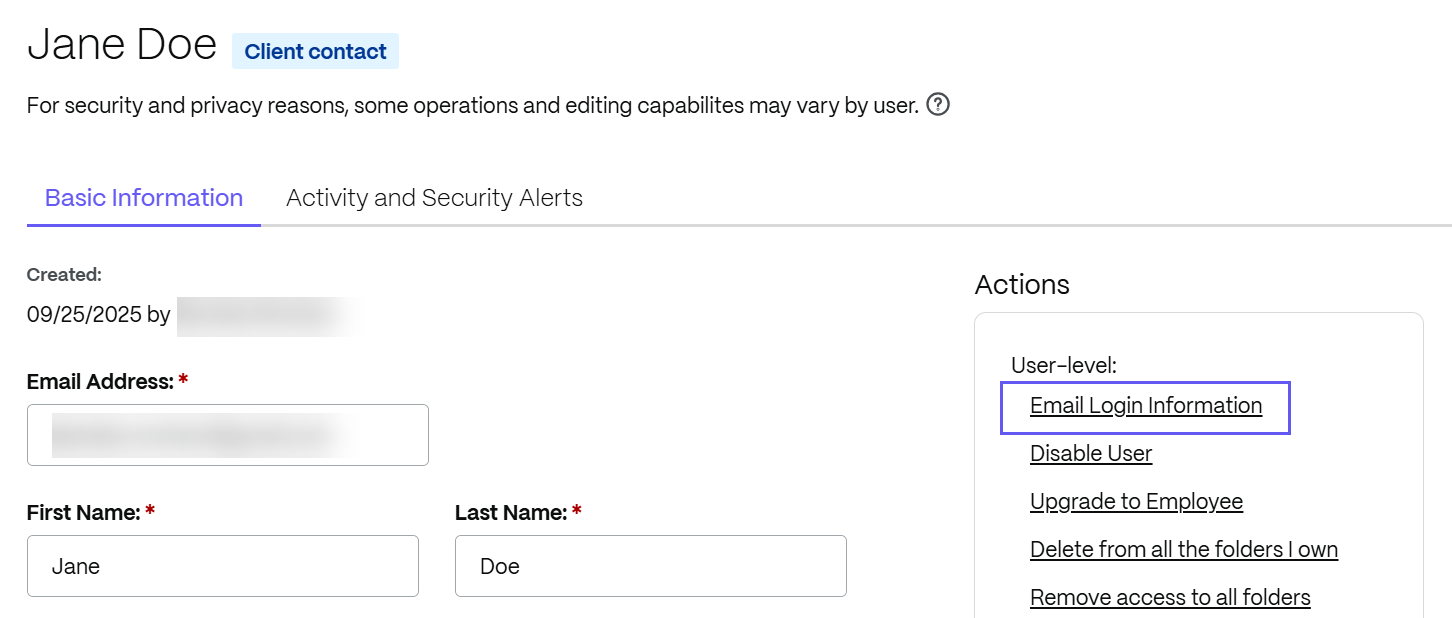
Under Actions - User-level select Email Login Information.
The Resend Welcome Emails screen displays witht he client name pre-populated.
-
Customize your email message as needed.
-
Select Notify.