Connections
ShareFile's functionality can be expanded with external services. This page allows you to manage your account connections with these services.
Advisory:
Account administrators control which connectors are available to users.
Starting September 9, 2025, Connectors will no longer be supported by the EU control plane.
Create connection
To create a connection:
-
From your ShareFile dashboard, click the user icon located in the upper right corner of the screen.
-
Select Personal settings from the dropdown options.
-
Select Connections.
-
Select Create connection. The create connection wizard displays.
-
From the Create connection wizard, select a service to create the connection. You can browse the catalog to find more ways to expand your account.
-
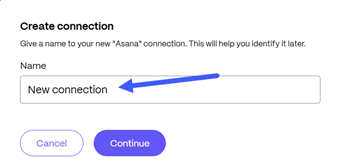
Give a Name to your new service connection. Click Continue.
-
The third party application opens in a new tab.

-
Sign into the application.
-
Follow the prompts to connect the application to ShareFile.