Upload files
Updated on Oct 30, 2026
To upload files using the ShareFile for iOS Clients application:
-
Open the ShareFile for Clients mobile application and authenticate.
-
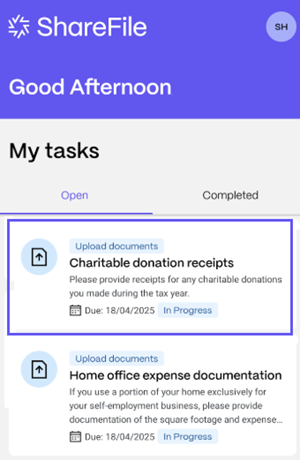
From your Open tasks, click on a Request List to open the task.
-
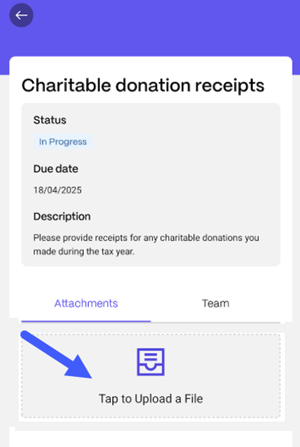
Once the task is opened, click on Tap to Upload a File.
-
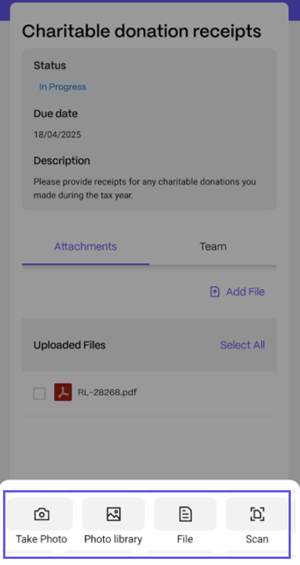
Choose the type of file that you want to upload. You can: take a photo, upload a photo from your library, upload a file or scan a document.
Note:
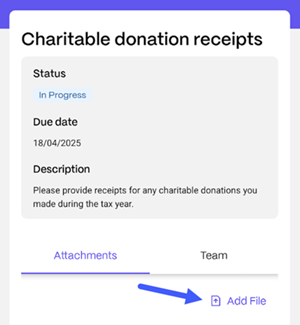
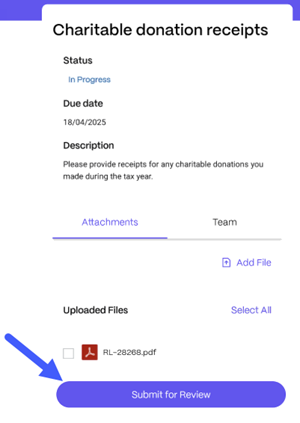
If you want to upload multiple files to the Request List, click Add File. You'll be prompted to select the file type for each upload.
-
Once you finalized uploading files, click Submit for Review.
You receive a confirmation message and the Request List displays under your Completed tasks.