Share files using ShareFile for Outlook
The following provides the steps necessary to share files using ShareFile.
-
In Outlook, select the New Email icon to open a new message.
-
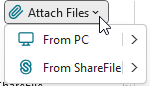
Select Attach Files from the new message window. You have the choice to select From PC or From ShareFile.
-
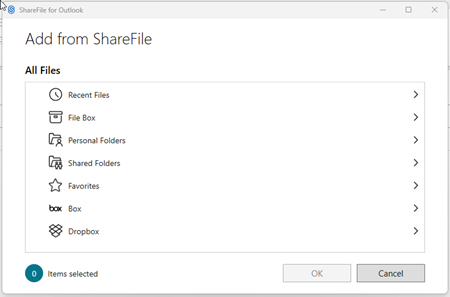
Navigate the Add from ShareFile screen to select the files you want to share.
-
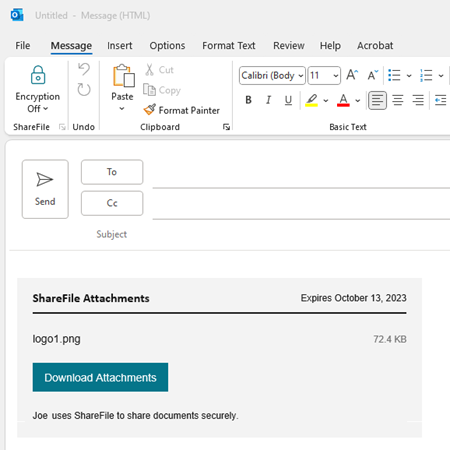
Click OK to create the ShareFile attachment to your message.
-
Add recipients to the To or Cc fields.
-
Select Send.