Delete files from a project
Use the following steps to delete a file or multiple files from a project.
-
In your ShareFile account, navigate to your Projects dashboard.
-
Select a Project from the list.
-
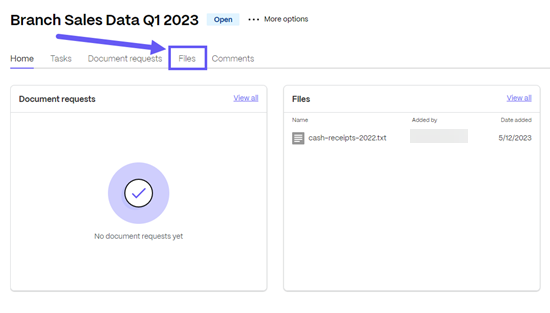
Select the Files tab.
-
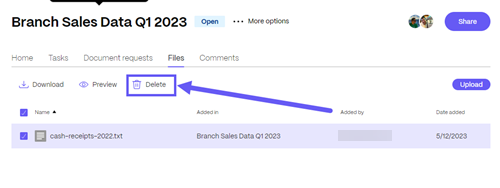
Select the checkbox next to the file you want to delete, then select Delete.
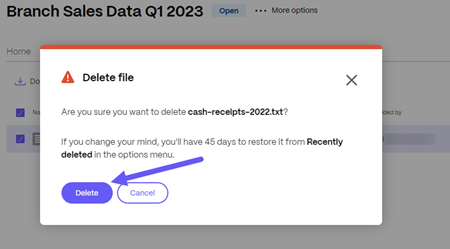
The Delete file confirmation pop-up displays.
-
Select Delete.
The file is deleted.