Restore a deleted file from a project
Project owners can restore a deleted file or files. The owner has 45 days to restore the file or files.
Use the following steps to restore a previously item:
-
In your ShareFile account, navigate to your Projects dashboard.
-
Select a Project from the list.
-
Select the ellipses by More options.
-
Select Recently deleted from the menu.
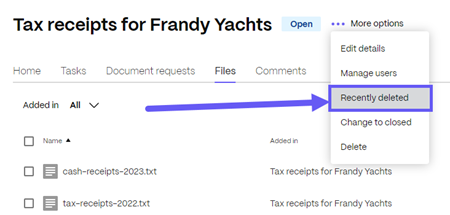
The Recently deleted screen displays.
-
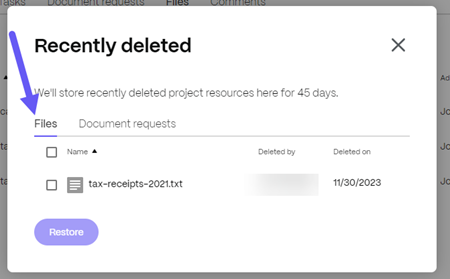
Select the Files tab to see the recently deleted files.
-
Select the check-box next to the file you want to restore.
-
Select Restore.
The Restored file confirmation message displays briefly.
-
Return to your project by selecting the X on Recently deleted screen.
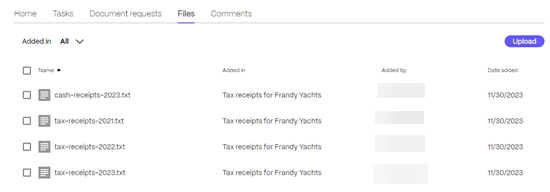
The previously deleted file is now available under the Files tab.