Delete templates
Templates that are no longer in use or have been replaced by updated versions can be deleted.
To delete a project template:
-
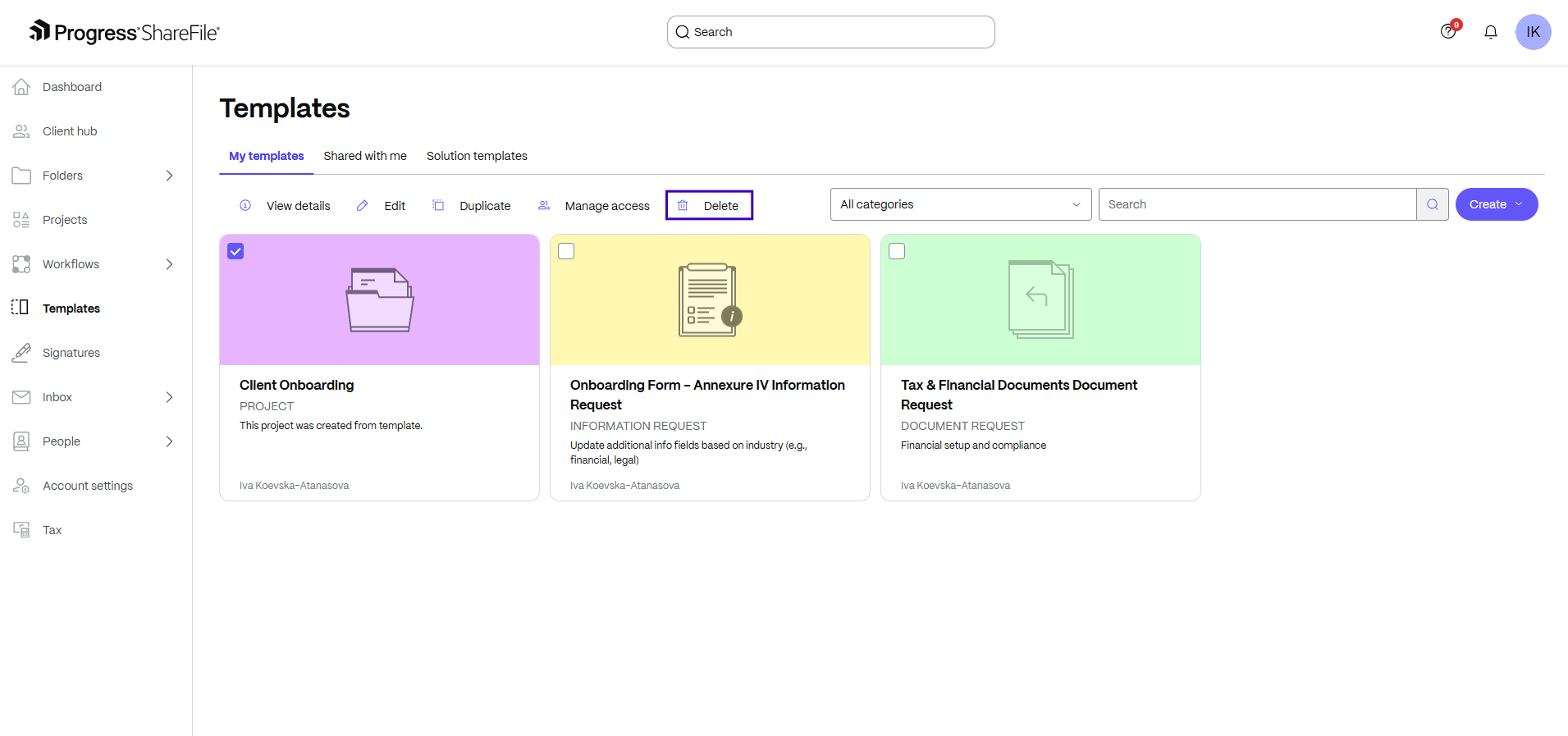
From the left navigation panel, go to Templates.
-
Select the checkbox for the template that you want to delete.
-
Click Delete. (On smaller screen sizes, you might need to select Actions > Delete.)
-
When prompted, confirm the operation.
Once deleted, the template is permanently removed and will no longer appear in the list of available templates during project or request creation.
NOTE:
Only project owners and admins can delete templates.