Delete files from a Table record
To delete attached files from a table record:
-
Go to the specified cell where the files are attached.
-
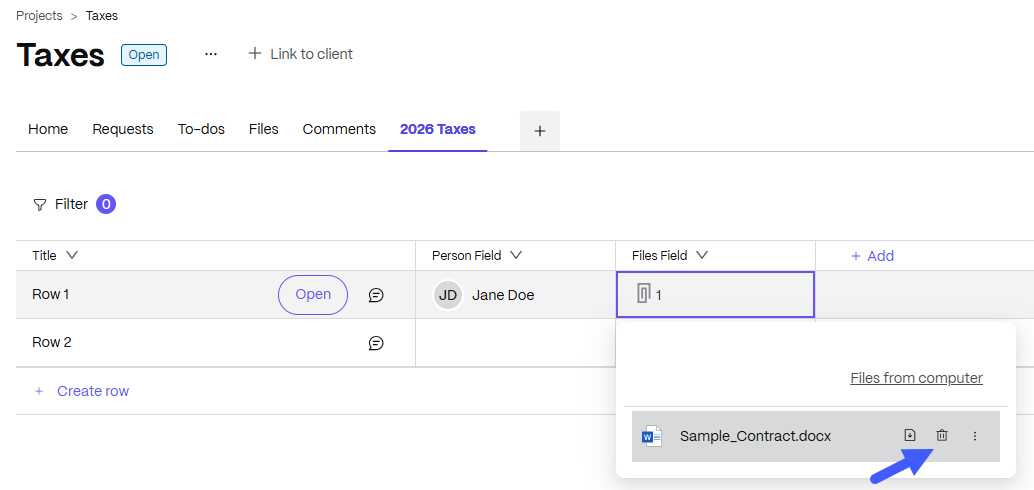
Click on the cell to display the attached file.
-
Hover the mouse over the attached file name. A trash can symbol appears.
-
Select the tash can icon and click Delete to remove the attachement.
NOTE:
Next to the delete symbol in the field cell, you can also find the Download button which you can use to download the file attachment.