Delete a Request List
Article applies to:
- ShareFile Employee users
Use the following steps to delete a Request List:
-
From your ShareFile account, go to Projects.
-
Select an existing project to open it.
-
Go to the Tasks tab and open the Request List that you want to delete.
-
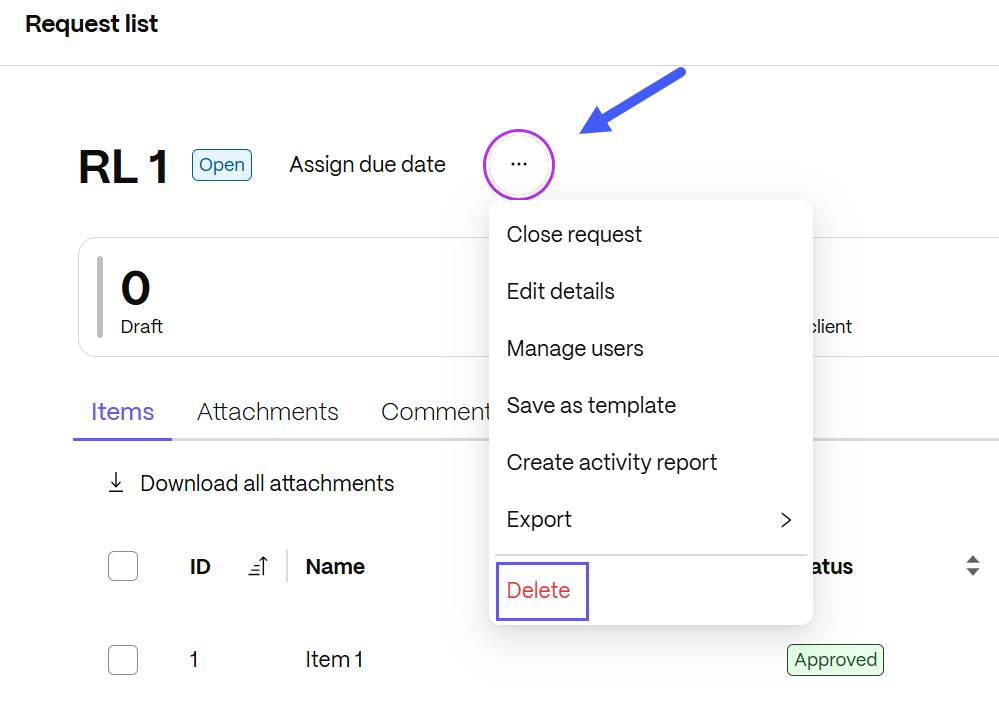
From the ellipses options, choose Delete.
The Delete request list confirmation pop-up displays.
-
Select Delete to confirm deletion.
NOTE:
Deleting a Request List will delete all files uploaded to the request. You can restore it within 45 days from the Recently deleted in the options menu.