Manage Request List users
Article applies to:
- ShareFile Employee users
The Manage users option allows you to update user permissions and remove users from a Request List.
-
In the Request List dashboard, select the Manage users option on the … (More options) menu.
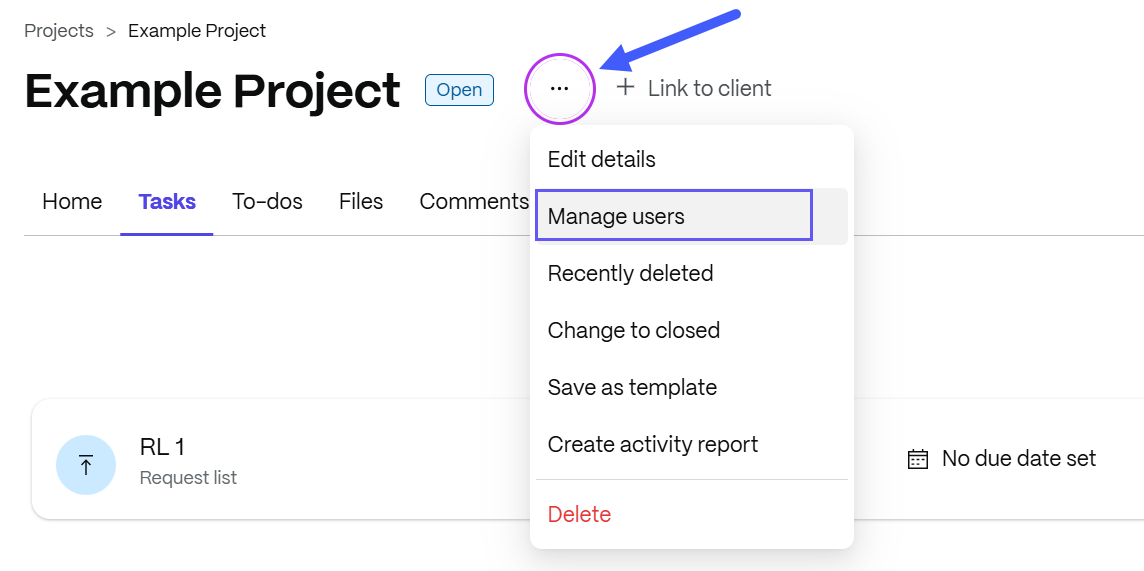
The Manage users pop-up displays.
-
Select the vertical ellipses beside the users name. Choose to edit permissions, view permissions or remove user.
-
Edit permissions - Select this option to modify project and content-specific permissions. Adjust permissions as needed and Save your changes.
-
Remove user - Select this option if you wish to delete the user from the project. Click Confirm to proceed.
-