Respond to a Request List
Article applies to:
- Client contact (external user)
Clients can follow the steps below to respond to a Request List from a service provider.
-
Once you receive a Request List in your email, select Review request.
-
From the ShareFile login screen, enter your email and password to authenticate. Then select Sign in.
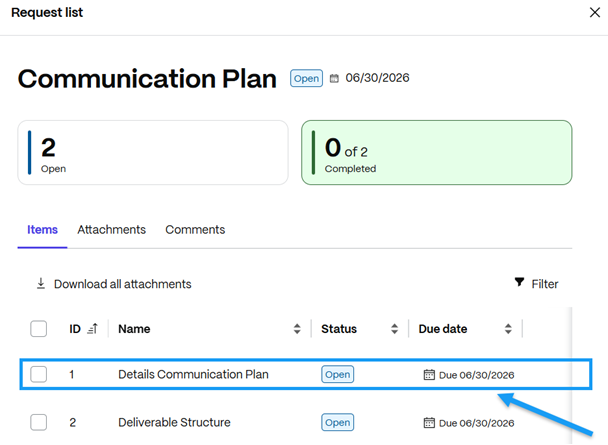
ShareFile navigates to the Request List with all items that are part of it.
-
Click an item to review its details.
-
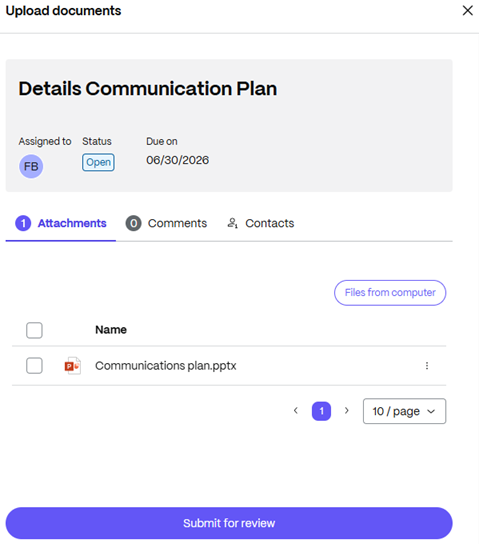
Upload the files requested in that item.
-
Click Submit for review.
-
Repeat the upload and submit steps for any remaining items.
Once you submit an item, its status changes to Completed.