Duplicate templates
To create a copy of a template:
-
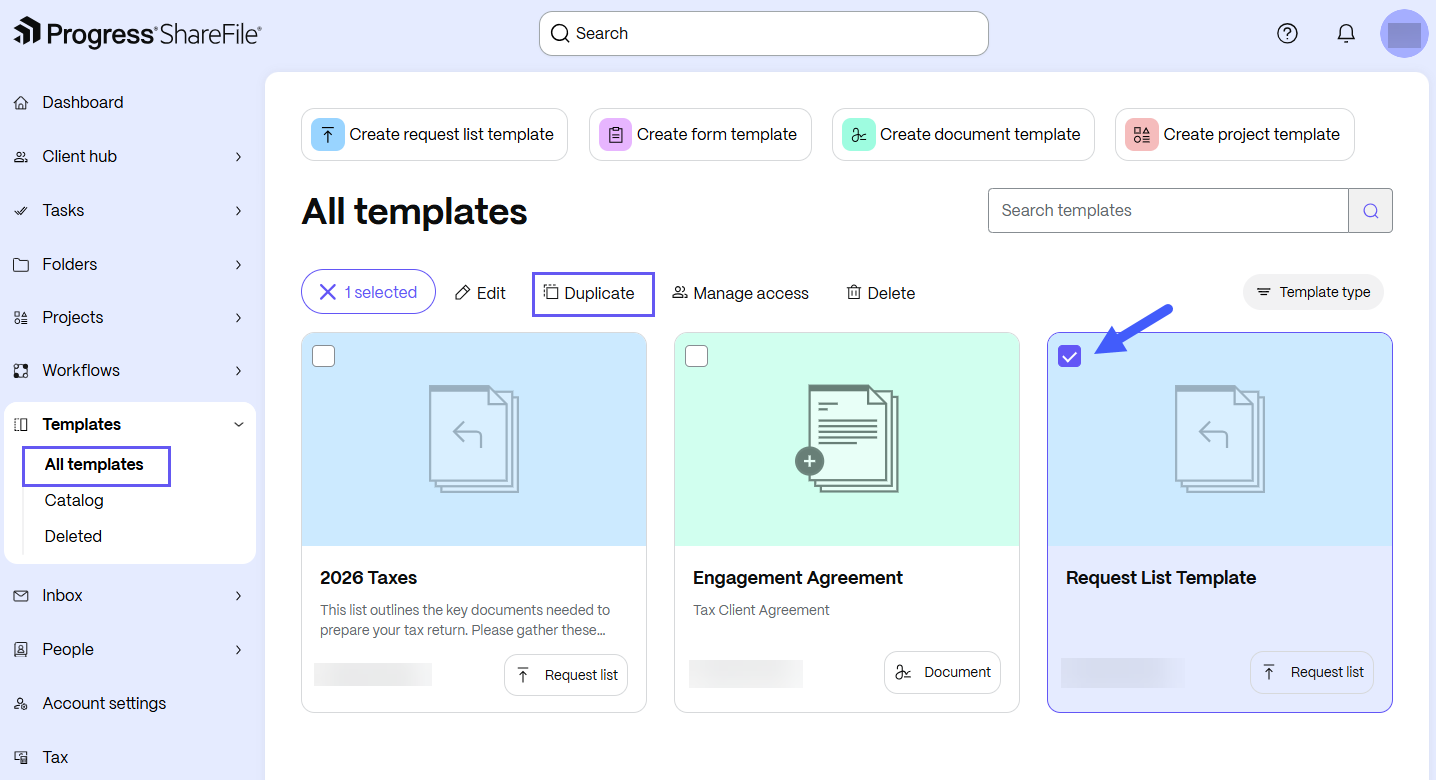
From the ShareFile navigation pane, select Templates.
-
Select All templates to browse templates that you created or that others shared with you.
-
Select the desired template. The template options display.
-
Select Duplicate.
-
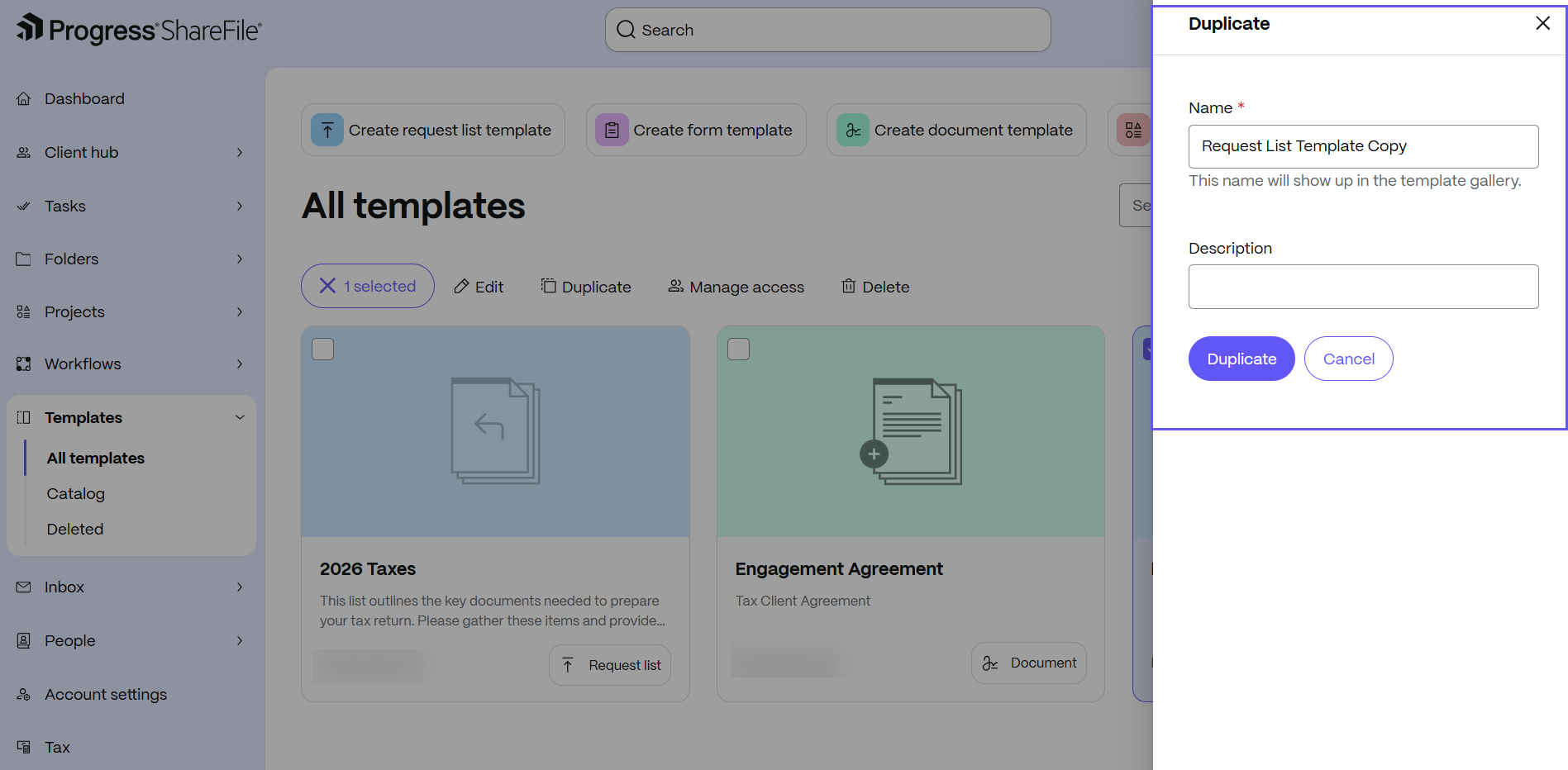
Enter a Name for the template.
-
Optionally, enter a Description for the template.
-
Select Duplicate. The duplicate-template pane opens.
-
The duplicated template appears in All templates, where you can edit or use it.