Manage template access
Share templates with team members so they can use the same approved templates when creating projects or requests.
To share a template, you must be a project owner or an admin.
To manage template access:
-
From the ShareFile navigation pane, select Templates.
-
Select All templates to browse templates that you created or that others shared with you.
-
Select the desired template. The template options appear.
-
Select Manage access.
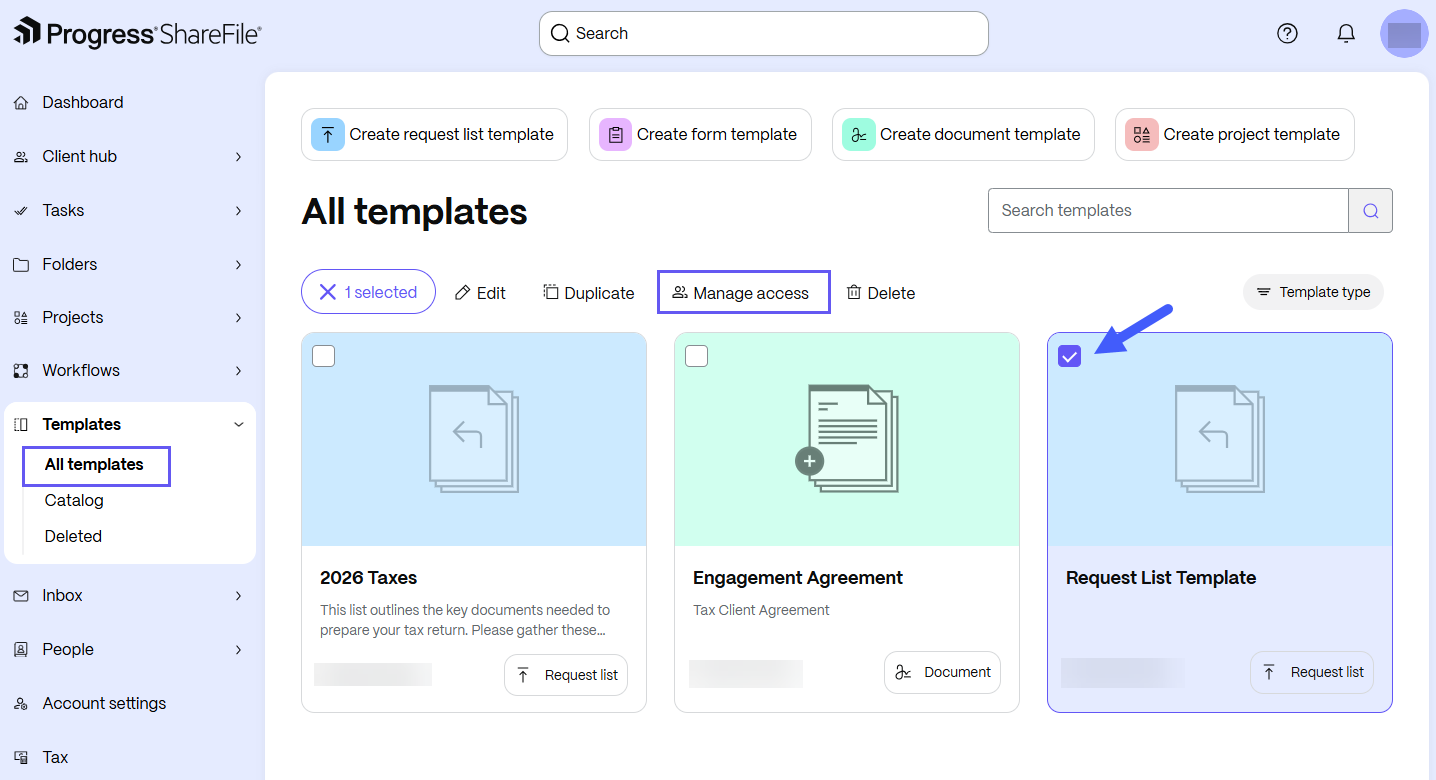
The Manage users dialog box opens.
-
In the Manage users dialog box, select Share. You can:
-
Share the template with individual users:
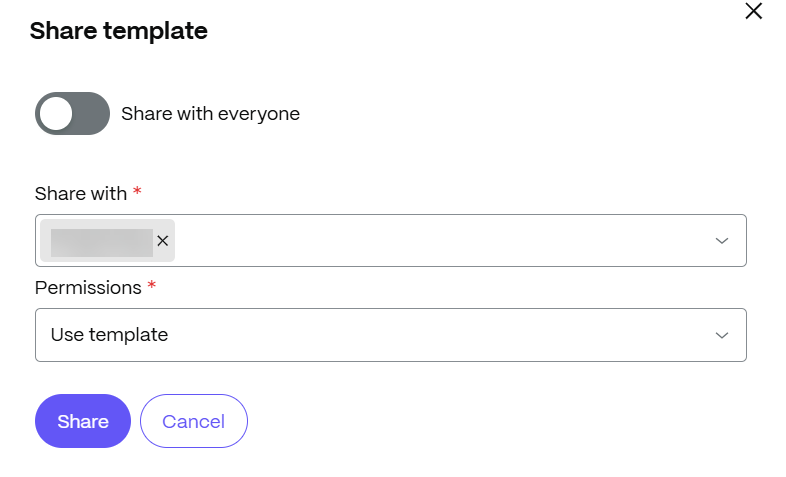
In the sharing dialog box, enter the names or email addresses of users or groups. Then, choose a permission set to configure their template permissions.
-
Share the template with everyone:
In the sharing dialog box, turn on the Share with everyone toggle. Then, choose a permission set to configure their template permissions.
-
-
Select Share.
-
The shared template appears on the Shared with me tab in the recipients’ Templates workspace. Recipients can use the template to create projects or requests.
Template permissions
The following permission sets are available for templates. To view the permissions associated with each role, select View in the Share template - permissions window.
| Role | Permissions | Purpose |
|---|---|---|
| Viewer | The recipient can view the template and its underlying file. | Ideal for recipients who use this template in their document workflows. They cannot edit or modify the template. |
| Contributor | The recipient can view and modify the template and can view, modify, and delete its underlying file. | Ideal for recipients who need to change the template or its underlying file. Their changes are reflected for all users of the template. |
| Creator | The recipient has the same permissions as the template creator. | Ideal for delegating template ownership to another employee. For example, when an employee leaves the organization, you can share a template with another employee for long-term maintenance. |
| Custom | The recipient has custom permissions based on your selection. | Ideal when the default roles do not meet the recipient's needs. You can set granular permissions for the recipient. |