User Provisioning (SCIM)
SCIM (System for Cross-Domain Identity Management) is an industry-standard protocol that lets your identity provider automatically create, update, and deactivate users and groups in ShareFile. This eliminates the need to manage user accounts manually across systems.
ShareFile SCIM provisioning is available for Enterprise accounts only.
What ShareFile supports
Users
Each SCIM-provisioned user consumes one license seat.
ShareFile supports the following user provisioning operations:
- Creating users
- Updating supported user attributes
- Deactivating and reactivating users
SCIM-provisioned users are created as licensed users.
Groups
Users in a group that is deleted in Entra or unassigned from the application are disabled in ShareFile.
ShareFile supports the following group provisioning operations:
- Creating groups
- Renaming groups
- Adding and removing group members
- Deleting groups
SCIM-provisioned groups are created as service-managed ShareFile groups. Group sync is intended for direct user membership — Nested groups are not supported.
Enable SCIM in ShareFile
To enable SCIM provisioning and retrieve your connection details:
-
Log in to your ShareFile account as an account admin.
-
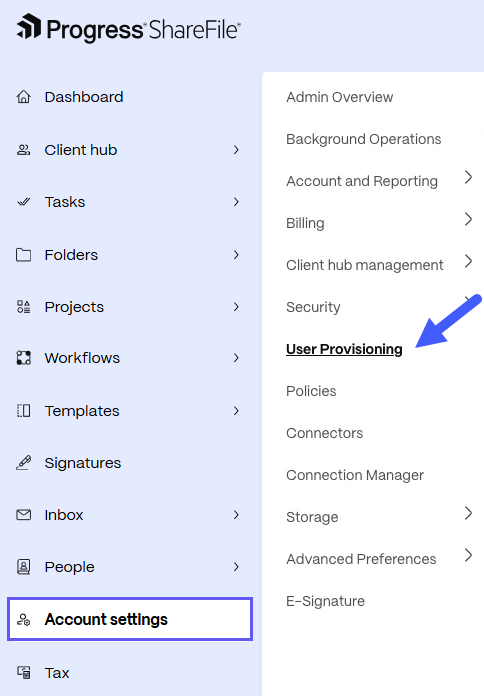
At the bottom of the left navigation, select Account Settings.
-
Open User Provisioning.
NOTE: This option is only visible for Enterprise accounts.
-
Ensure SCIM is enabled.
-
Copy the following values — you will need them when configuring your identity provider:
- URL — used as the Tenant URL in your identity provider
- API Key — used as the Secret Token in your identity provider