Attach files to Tables
File attachment functionality is supported in Tables to enhance your project management capabilities. You can upload or link files directly within project records to help manage and access important documents.
NOTE:
You can only attach files if the table includes a Files field type. See Create a table for more information.
To add attachments to a table:
-
In ShareFile, go to Projects.
-
Select an existing project to open it.
-
Go to the table tab.
-
Go to the Files field cell in the table row.
-
Select the attachment icon / file count
-
Browse and upload files.
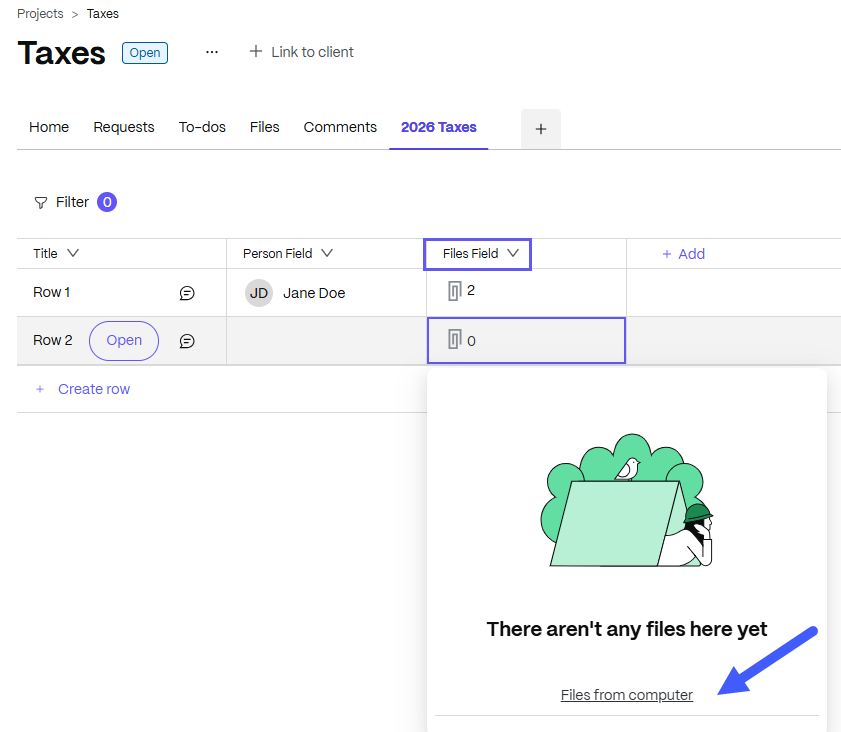
The file count in the cell updates after upload. You can attach more than one file to any table record.