Restore a deleted project
Project owners can restore a deleted Project. After deletion, the project can be restored within 45 days.
Use the following steps to restore a previously deleted project.
-
In your ShareFile account, navigate to your Projects dashboard.
-
Select the ellipses by More options.
-
Select Recently Deleted from the list.
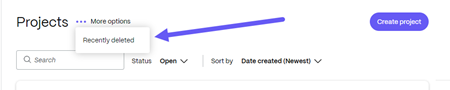
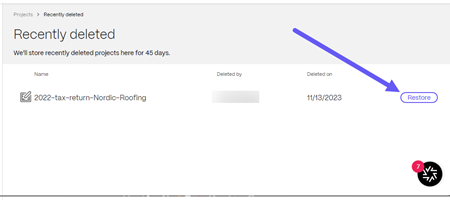
The Recently Deleted screen displays.
-
Select Restore next to the project you wish to restore.
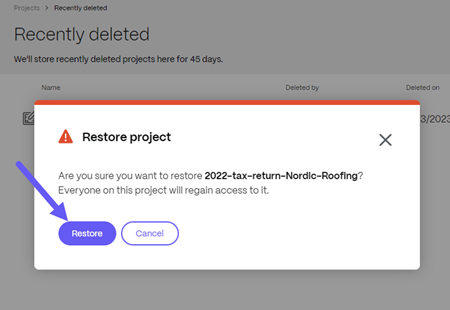
The Restore project confirmation pop-up displays.
-
Select Restore.
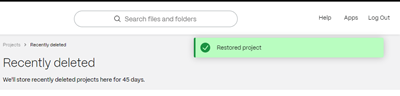
The Restored Project confirmation message displays briefly.
-
Return to your Projects dashboard to confirm the project was restored.