Delete templates
Delete templates that are no longer in use or that have been replaced by updated versions. Only project owners and admins can delete templates.
To delete a template:
-
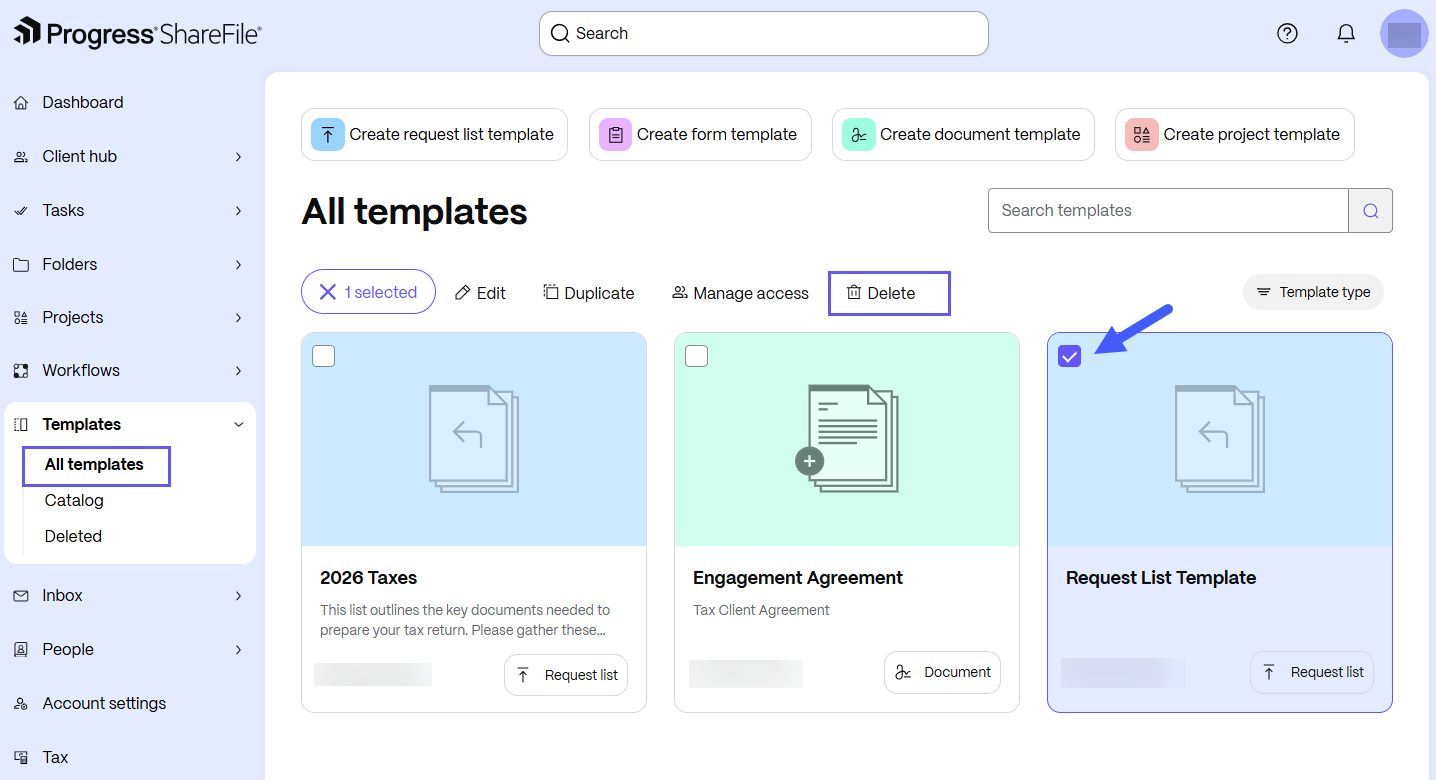
From the ShareFile navigation pane, select Templates.
-
Select All templates to browse templates that you created.
-
Select the desired template. The template options display.
-
Select Delete.
The Delete dialog box opens.
-
In the Delete dialog box, select Delete to confirm.
-
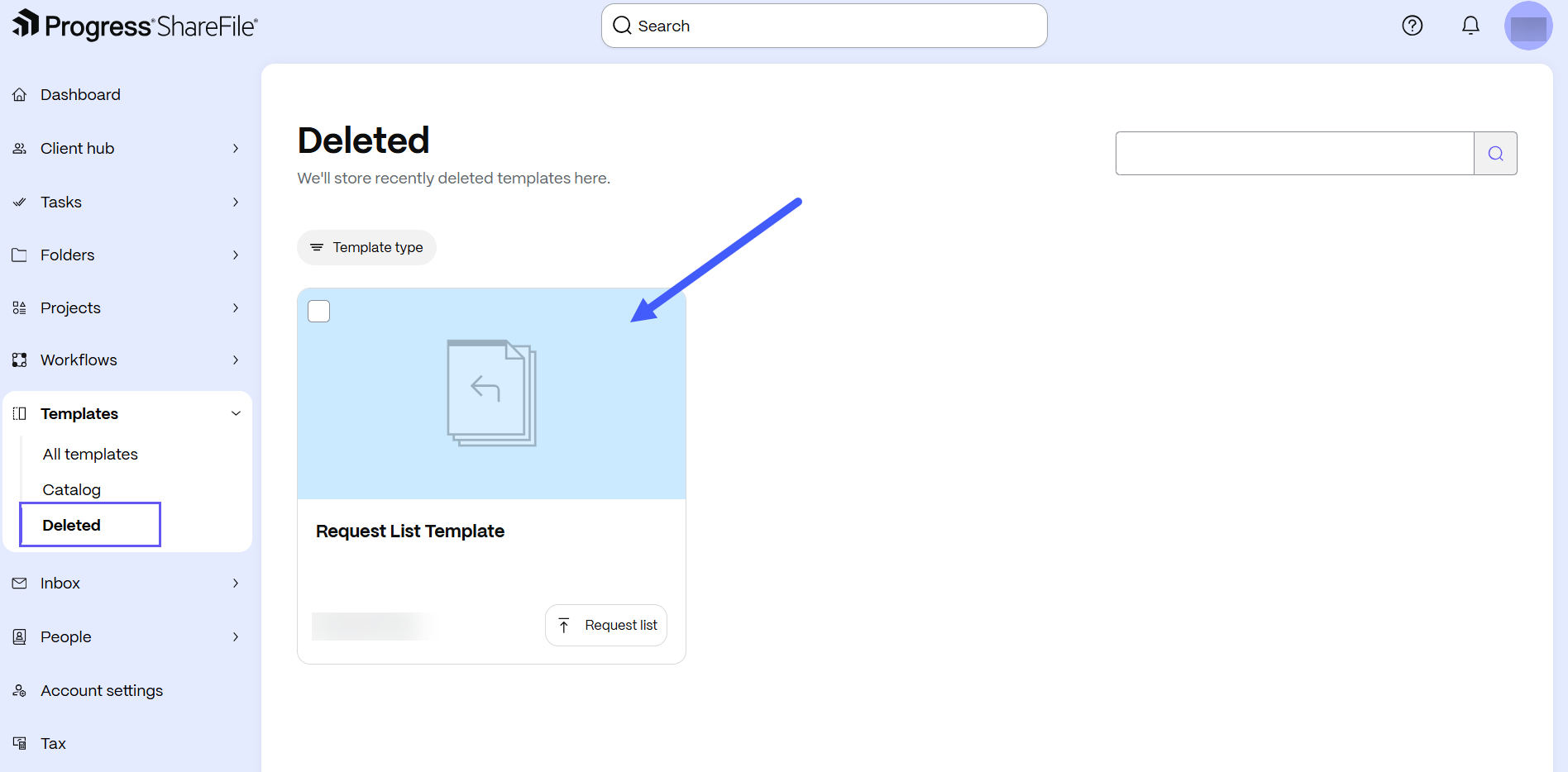
The template is removed from the available templates list and appears in the Deleted section, where you can restore it.