Remove users from a project
To remove a user from the project:
-
Select ... More options, then Manage users.
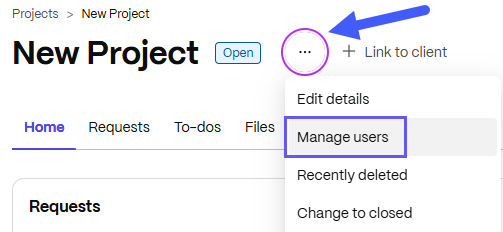
The Manage project users pop-up displays.
-
Select the ellipses by More options
-
Choose Remove User and confirm changes.
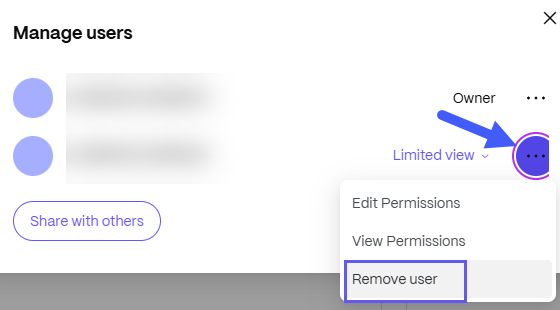
The user is removed from the project. You can add the user back by inviting them to the project again.