Invite users to a project
Project owners can invite users to a specific project they own and can provide those users default access roles or custom access.
The following instructions include the steps necessary to invite new users including both contributors and team members.
-
Select ... More options then Manage users. The Manage project users pop-up displays.
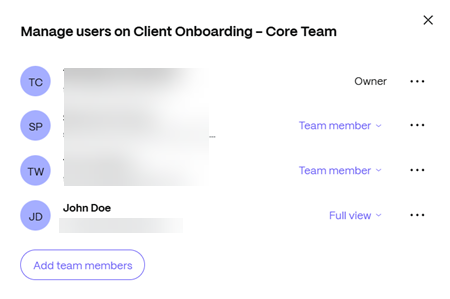
Project users can be an internal user (owner or team member, full view, limited view or custom)
NOTE:
There are additional capabilities accessible now by the 3 dot menu to the right of a Project User.
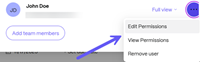
For more information, see Manage user permissions in a project.
-
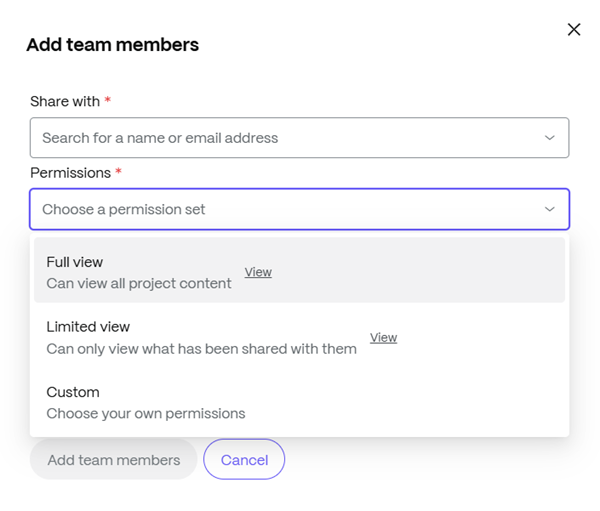
Select Add team members to add other users to the project.
-
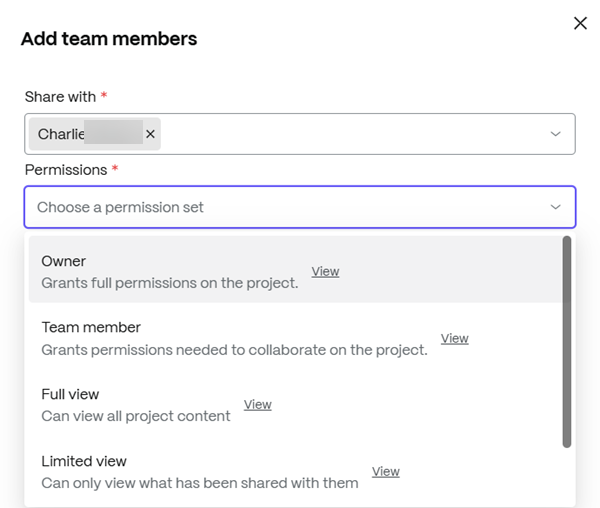
Type the name of the user you want to add.
-
Choose the permission set based on the type of user you are inviting. For more information regarding permissions, see Managing user permissions.
-
Provide an optional message for the user.
-
Select Add team members.