Access Tasks
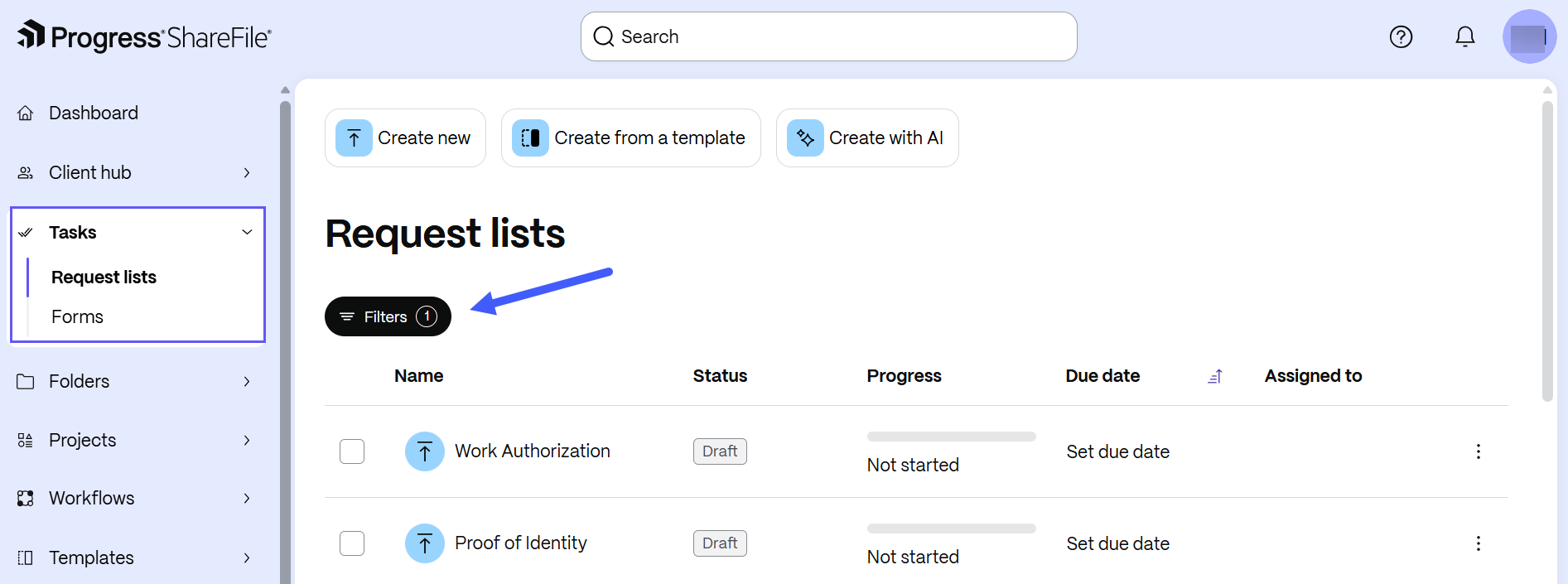
To access the Tasks workspace:
- From the ShareFile left navigation menu, select Tasks.
- Select Request Lists to:
- View all existing requests created within projects
- Create standalone request lists.
- Select Forms to:
- View all existing forms created within projects
- Create standalone forms.
When you access Request Lists or Forms, the default view displays tasks assigned to you. You can clear this filter to view all tasks or refine the results using filters such as Created by, Client(s), Status, Due date, and Assigned to.
Task actions
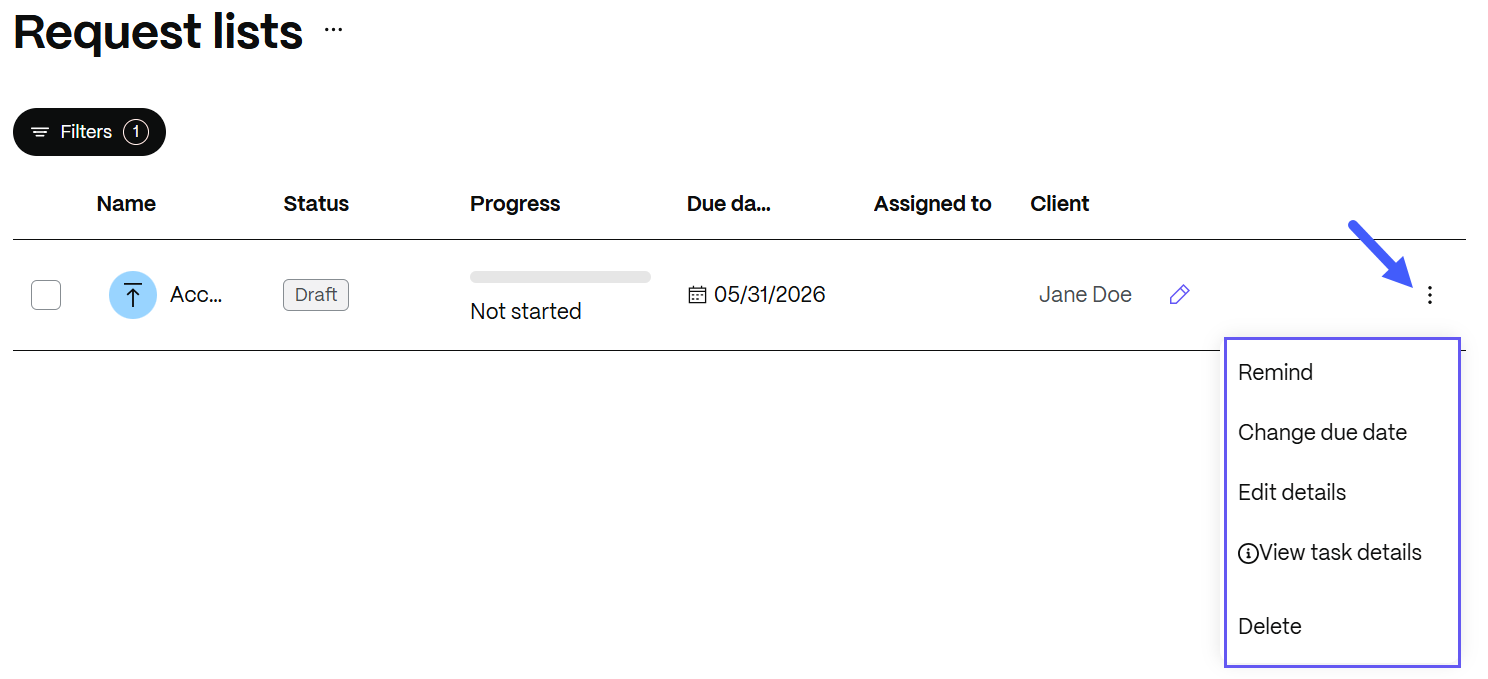
Select More options next to each task to perform the following actions:
-
Send a reminder to the assignee
-
Change the task due date
-
Edit task details such as the title, description and due date
-
View task details such as the task name, status, progress, due date, assignee, client name and location
-
Delete the task
View the associated client or project
When a service provider opens a task in the full-screen details view, the associated Client and/or Project appear near the top of the view when available. Select a Client or Project button to open the corresponding record. These buttons are for navigation only; you cannot change or remove the association from the details view.
These labels and buttons are available to service provider users and are not shown in the client portal.