Templates catalog
The ShareFile Catalog includes access to pre-configured templates tailored for specific industries and business needs. You can customize templates for your organization’s needs.
Browse templates from the user menu
To browse and install templates from the ShareFile Catalog using the user menu:
-
Open ShareFile in your web browser.
-
From the ShareFile Dashboard, select the user menu in the upper right corner.
-
Select Catalog from the dropdown options.
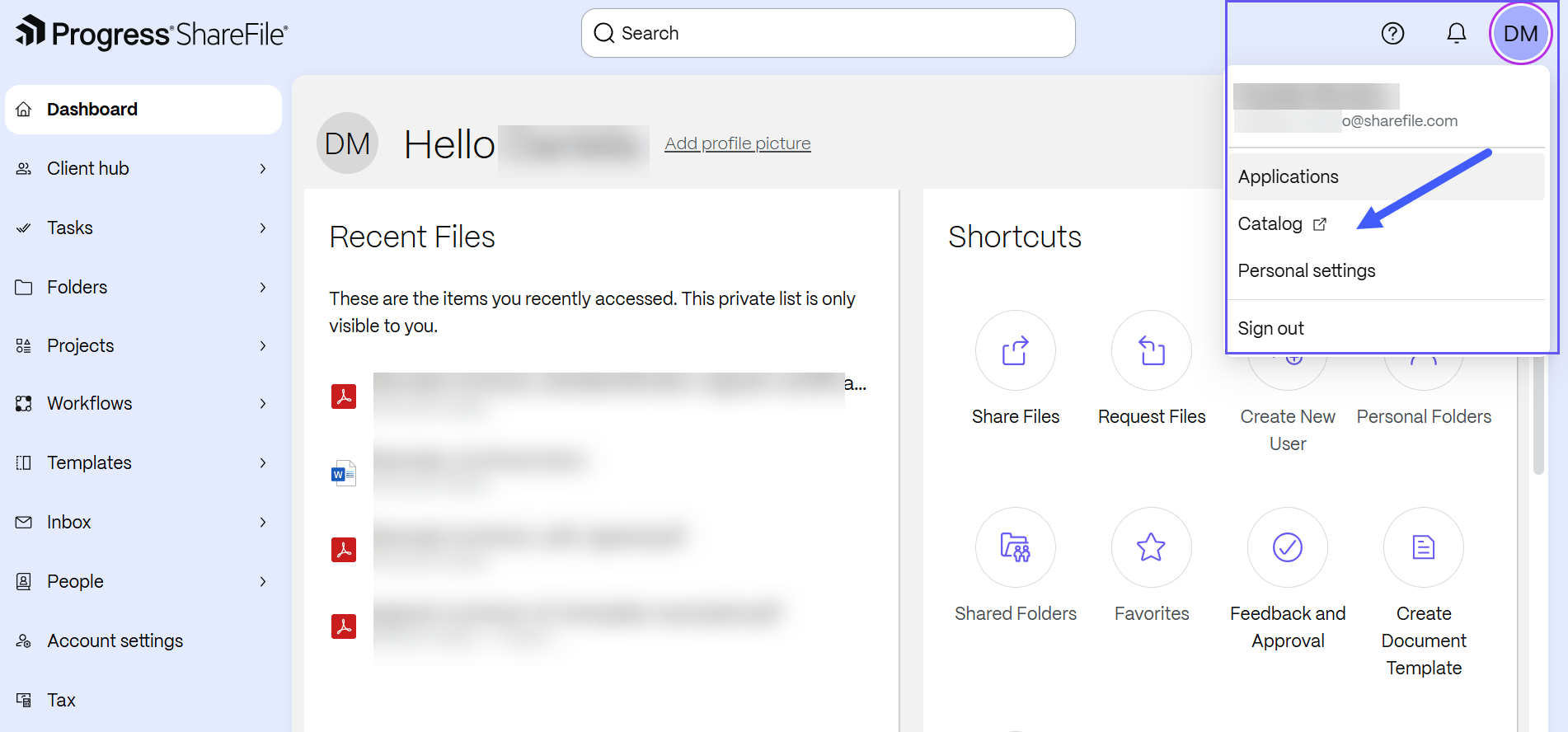
The Catalog page opens in a new tab and displays available solutions. Select any tile to access the solution overview.
-
Select the Templates tab from the menu.
-
Select Install by the template you want to install.
-
Enter a name for the template.
-
Select Install. After installation is complete, the template appears in the Templates workspace.
Browse templates from the Templates workspace
To browse templates from the Templates workspace:
-
From the ShareFile navigation pane, select Templates.
-
Select Catalog.
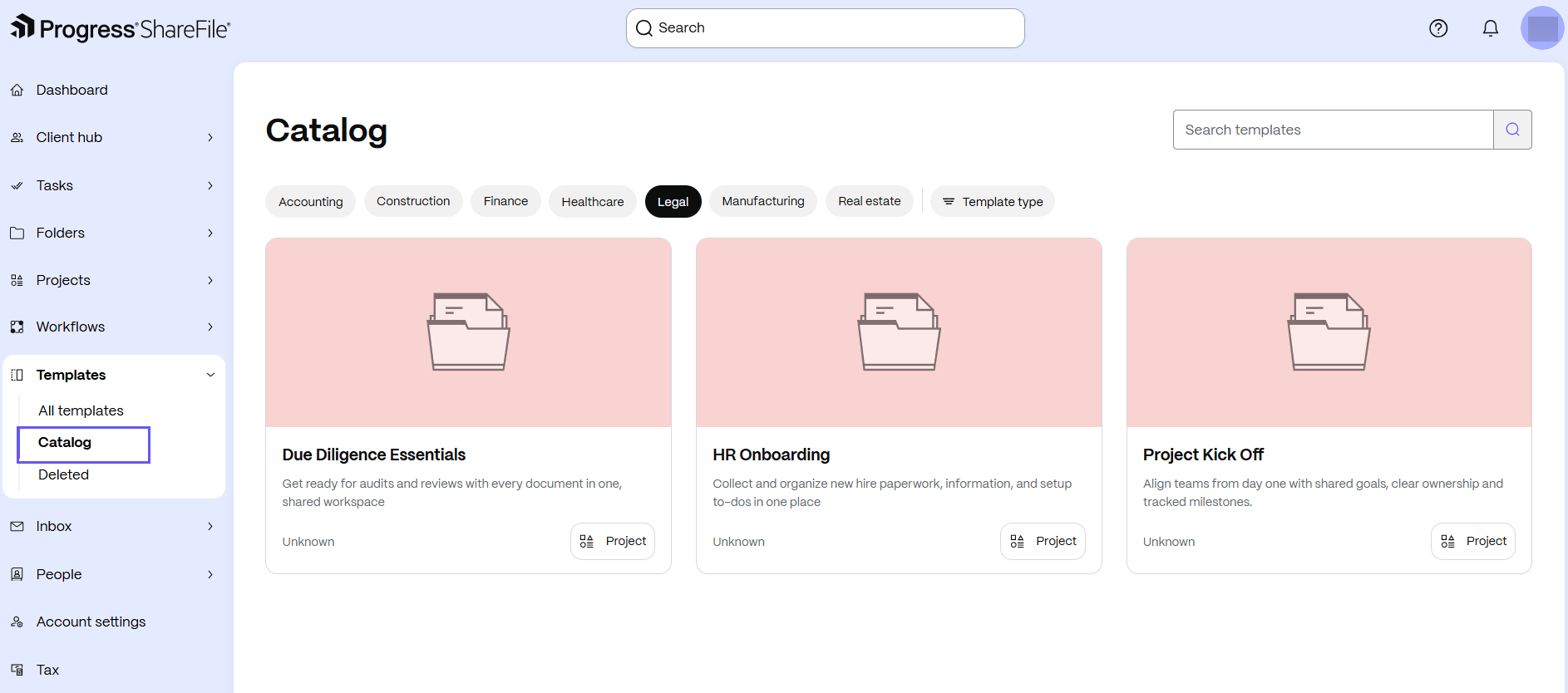
The templates library displays with ShareFile-provided templates.
-
You can:
- Browse templates by industry, such as accounting, construction, finance, healthcare, legal, manufacturing, and real estate.
- Filter templates by type, such as project, table, form, document, request list, or workflow.
- Search for templates by name.
-
Select a template to view its description. Then select the available option to add the template to your Templates workspace or use the template.