Create standalone Project templates
To create a standalone Project template:
-
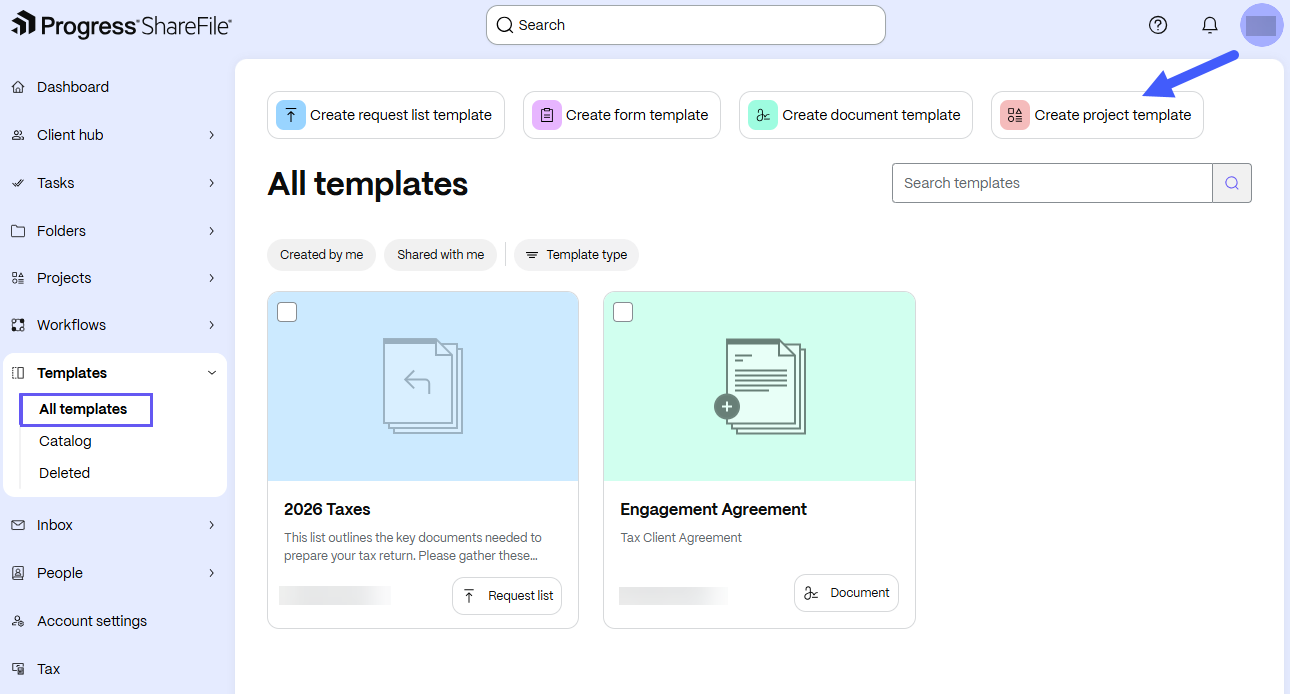
From the ShareFile navigation pane, select Templates.
-
Under All templates, select Create project template.
-
Give your template a Name and a Description (optional). Then, select Create template.
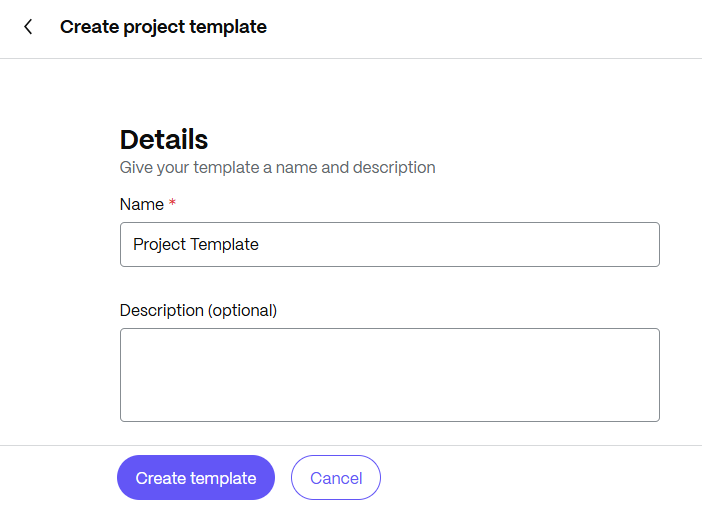
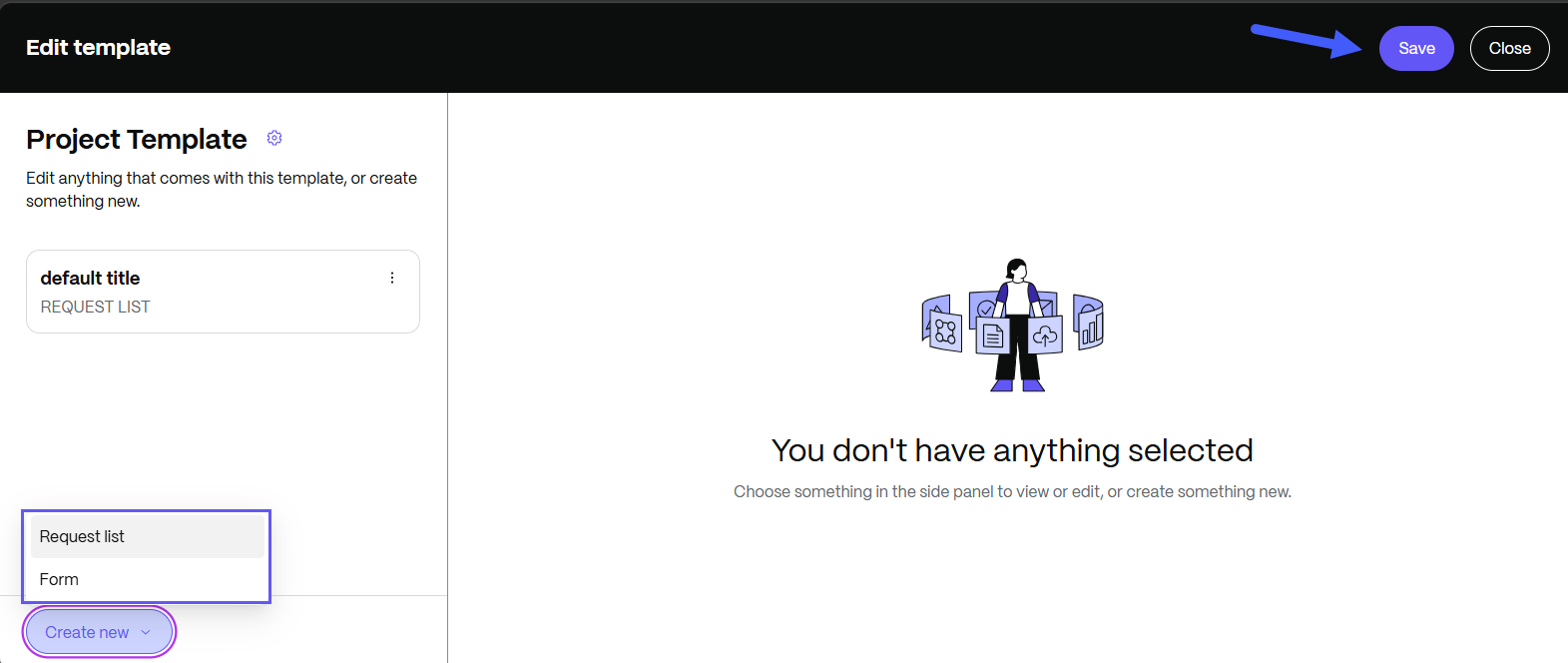
The template preview editor opens.
-
Edit the template as needed. You can create new Request Lists or Forms. Select Save.
-
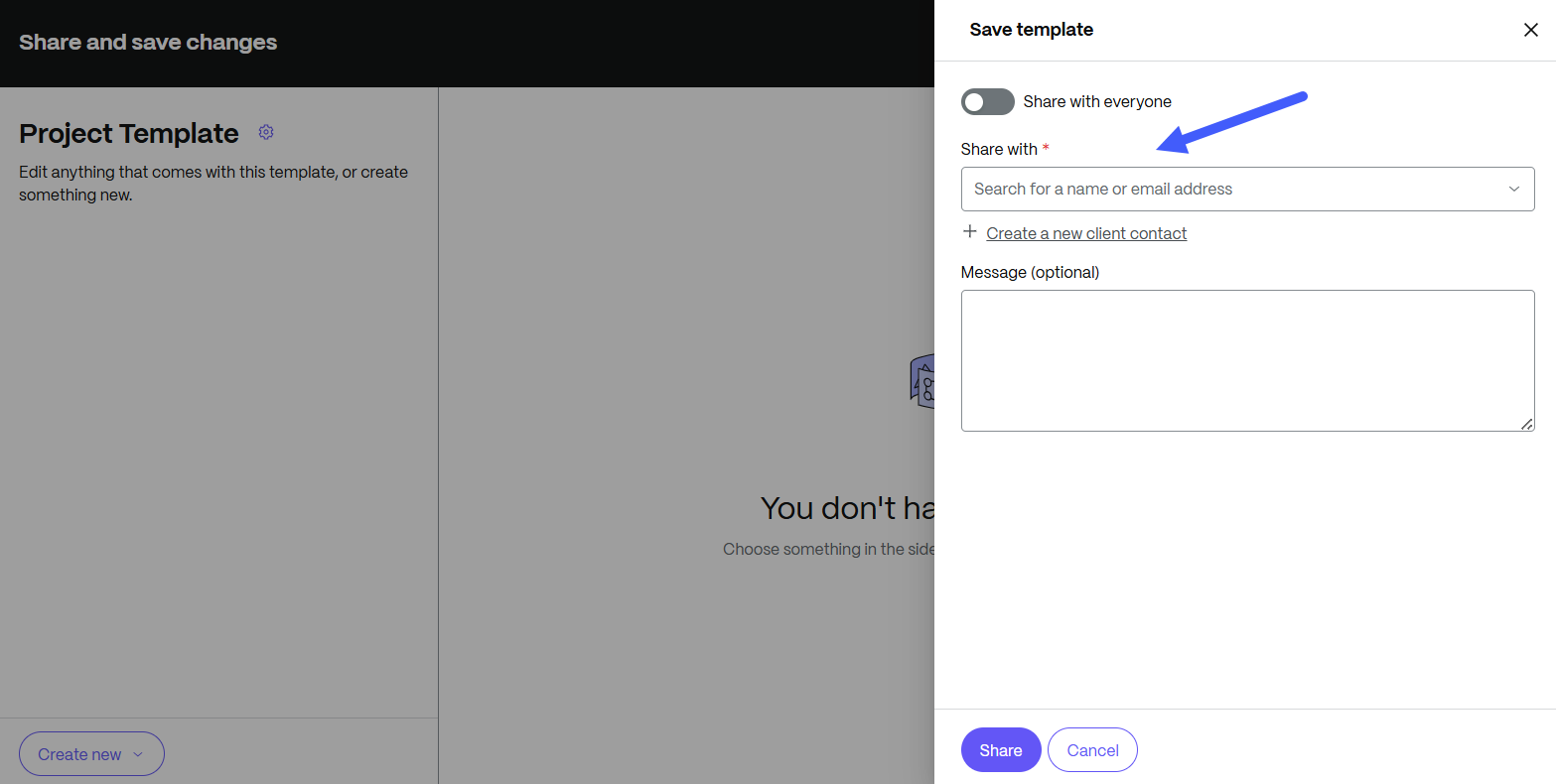
To share the template, search for a name or email address. You can also create a client contact. To continue without sharing the template, select Cancel.
-
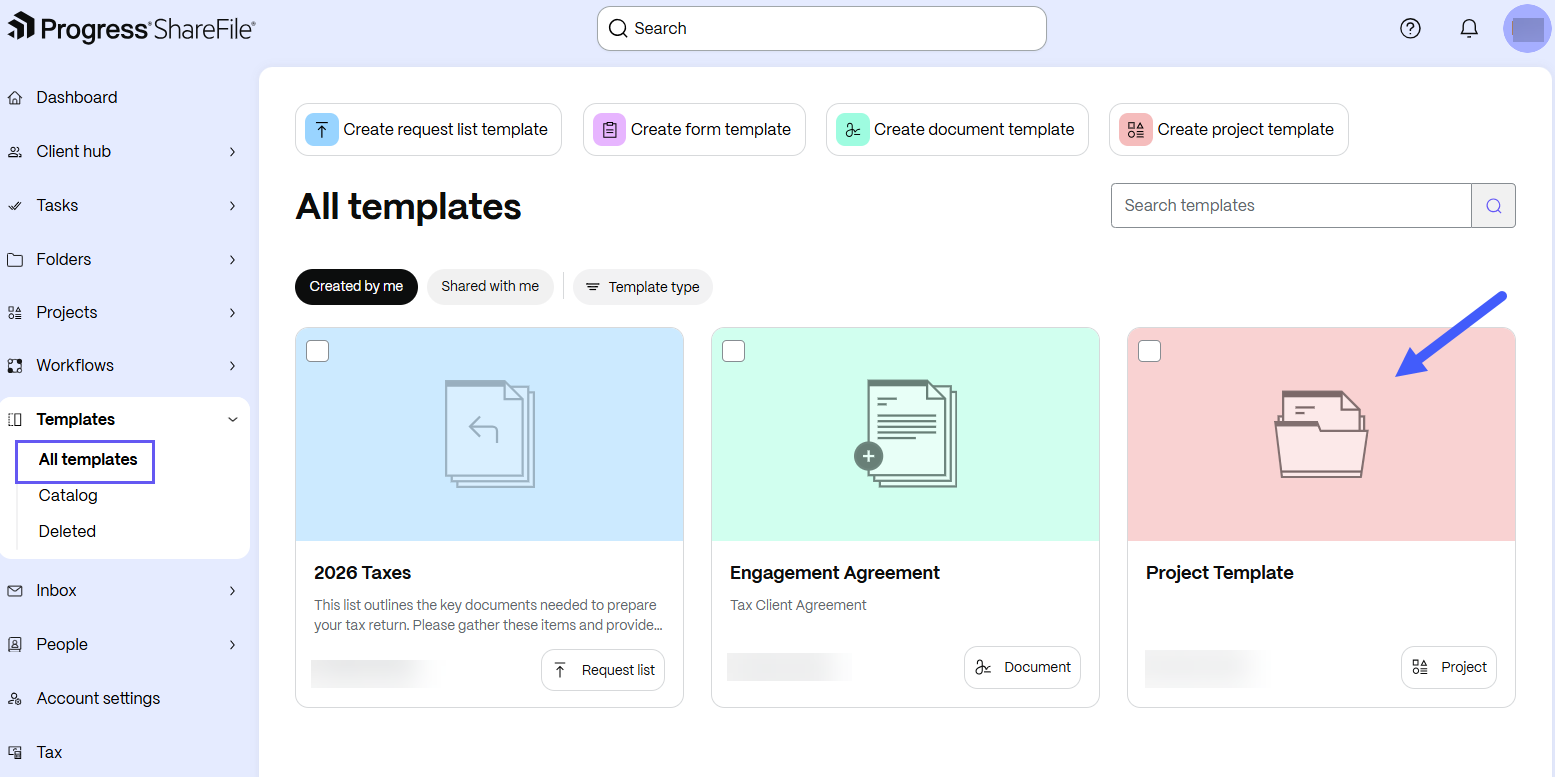
The template is created. The standalone project template appears in the Templates workspace under the All templates - Created by me section:
Comprehensive management capabilities such as editing, duplicating, deleting, restoring, sharing, and bulk actions help teams maintain Project templates throughout their lifecycle.