Understanding Your 30‑Day Podio Premium Trial
Overview
If you’re currently using the Free plan, your 30-Day Podio Premium trial gives you access to advanced features so you can explore enhanced workflows, better collaboration tools, and improved organizational insights.
Premium Features Included in the Trial
-
Access to New Premium Features: Experience new Premium only features as they’re released during your trial period.
-
Advanced Workflow Automations: Automate repetitive tasks, streamline processes, and build powerful workflows across your Podio apps.
-
Enhanced User and Workspace Permissions: Manage access at a more granular level, ensuring the right people have the right level of control in your workspaces.
-
Advanced Reporting: Gain deeper visibility into your data with expanded reporting options and more sophisticated insights.
-
Popular Extension Vouchers Access: Test popular Podio extensions using vouchers available to Premium level users during the trial.
Plan Limits During the Trial
During your Premium trial, your organization receives temporarily increased plan limits aligned with the Premium experience.
After the trial:
- Your account automatically reverts to Free plan limits
- Premium only features will be disabled
- Usage above Free limits will become restricted
- Your data remains intact
Starting a Podio Trial
-
Log in to your Podio account.
-
Open any workspace within your free organization.
-
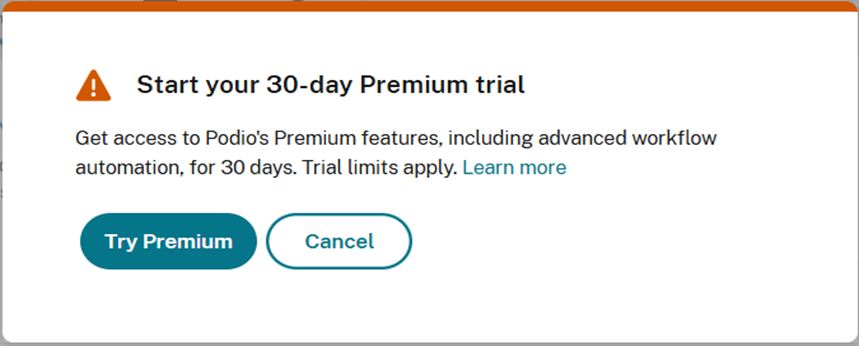
In the top blue navigation bar, click Try Premium.

-
When the pop‑up window appears, select Try Premium again to continue.
-
After activation, a yellow banner will appear below the toolbar showing how many trial days you have left.

Now you can explore the full power of Podio and Podio Workflow automation. Welcome to the Podio Premium Trial!
In‑Trial Experience
Trial Status Banner
A banner is displayed at the top of the page during the trial and shows a countdown as the trial end date approaches.

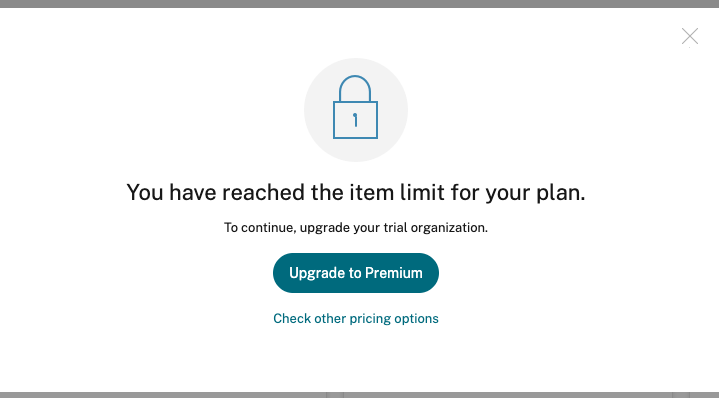
Limitation Notification Pop‑Up
A pop‑up message appears when a trial limitation is reached, explaining the restriction during the active trial.
What Happens When the Trial Ends?
Option 1: Upgrade to Podio Premium using Banner Link
-
Click Upgrade to Premium in the Red Banner
-
Select the required number of employee seats (annual or monthly).
-
Add or confirm your payment method.
-
Complete Checkout.

Option 2: Upgrade to Podio Premium from Pricing page
-
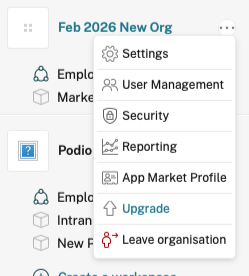
Click the Profile Icon > Pricing > Podio Organization.
-
Select the Premium plan.
-
Add or confirm your payment method.
-
Complete Checkout.
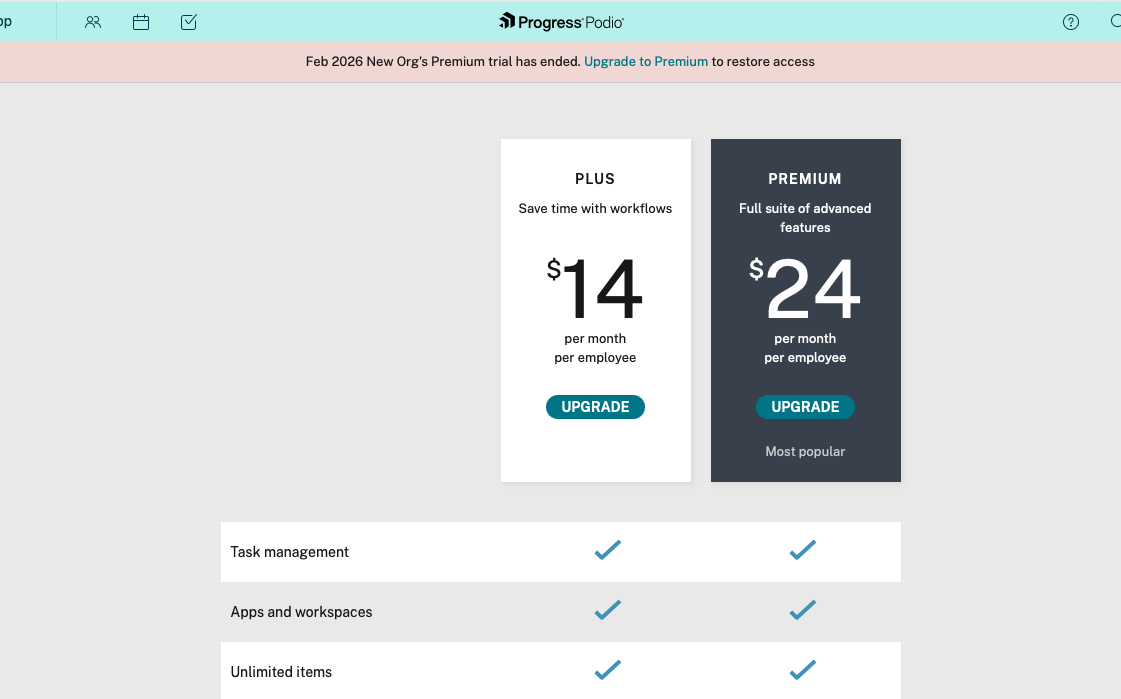
See Upgrade and Pricing Page for more information.
Option 3: Return to the Free Plan
-
Your account returns to the Free Plan.
-
Premium features and increased limits are removed.
-
Items or automations exceeding Free limits may become inactive.
-
Your data remains safe.
Podio Trial Limitation
Please refer to Podio Trial Limitations for a detailed overview of the limitations incorporated into the Podio trial.
Need Help?
Our Support is here if you have questions about upgrading, billing, or preparing for plan changes. Chat with us.