Open and edit a file using ShareFile for Mac
Updated on Oct 23, 2026
-
Navigate to your ShareFile folder.
-
Select the file you want to download from the ShareFile folder in Finder.
-
Use Control on the keyboard and click on the mouse to open the context menu for the file.
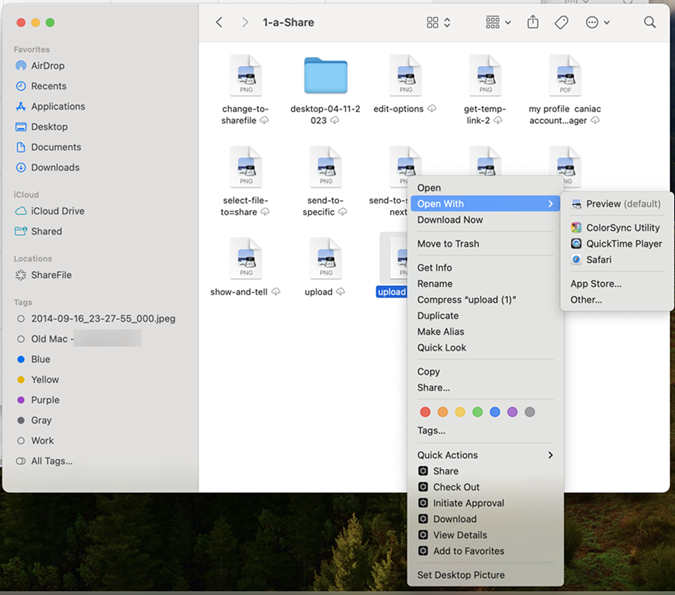
-
Select Open with from the menu.
-
Select the corresponding application.
-
After completing the edits, select Save from the application menu.
The edits are saved in ShareFile for Mac and are available in the ShareFile Webapp as well.