Sign documents
Updated on Oct 30, 2026
To sign documents using ShareFile for Clients iOS app:
-
Open the ShareFile for Clients App and sign in to your Client account.
-
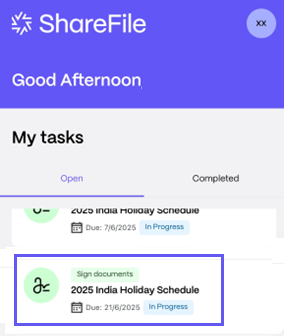
From your open tasks, select a Signature Request, click to open it.
-
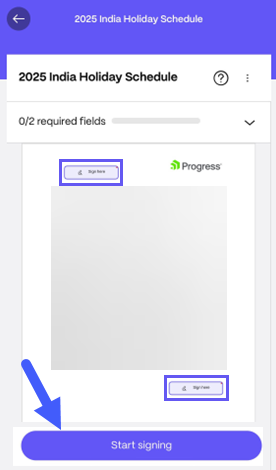
Click Start Signing and then click the box labelled Sign Here to add your signature.
-
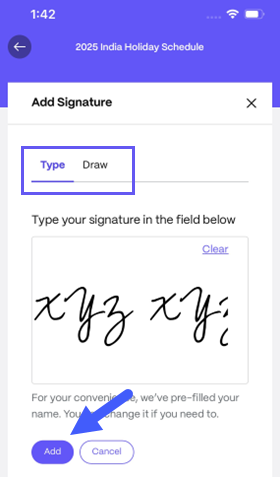
Choose to either Type or Draw your digital signature and click Add to sign.
-
Once you sign on all the required places, click Submit Document to submit it for review.
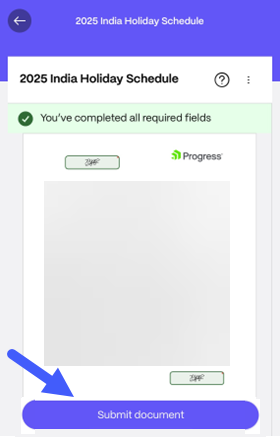
The signing process is now complete.